Internet problems in Italy: complaints, ConciliaWeb and AGCOM compensation
Report the fault to your operator first. If it stays unresolved, request a free conciliation on ConciliaWeb, which you must try before going to court.
When this helps
- Your home internet service is in Italy.
- A persistent fault or speed problem remains unresolved.
Record the fault and when you reported it
Note when each outage started and ended, and keep your fault reports. AGCOM compensation runs from the date you reported the fault.
Report a fault within three months. A later report can rule out compensation under AGCOM’s rules.
Certify slow speeds with Ne.Me.Sys
Install Ne.Me.Sys, the free MisuraInternet app whose certificate has legal value.
Run the measurement over a cable and save the certificate.
If the result is below the minimum speed in your contract, send it with a complaint to the operator.
Measure again at least 30 days later if the operator does not fix it.
If the second certified measurement confirms the problem, you can withdraw from the internet service without penalties. AGCOM’s ordinary speed test helps diagnose but is not certified.
Conciliation on ConciliaWeb
Conciliation is free on ConciliaWeb and runs through your regional Co.re.com. You must try it before taking the operator to court.
You can go to court 30 days after you file the conciliation request. You can also ask the Co.re.com to keep the service running during the procedure.
If conciliation fails, you can ask for a decision (definizione) within three months. It can order refunds and compensation, but not other damages.
AGCOM compensation (indennizzi)
AGCOM’s compensation rules set minimum amounts per day. Better terms in your contract apply instead.
| Problem | Compensation per day |
|---|---|
| Complete interruption, caused by the operator | €6 per service |
| Irregular or discontinuous service | €3 per service |
| Late activation | €7.50 |
| No reply to your complaint | €2.50, up to €300 |
The amounts for activation delays, suspensions and interruptions rise by one third for ultra-broadband access. Business lines get double.
Prepare your complaint
Use the complaint template to state the problem, evidence and requested resolution. Keep the tone factual.
You can collect evidence without Kilobat. If you use a Kilobat report, review it before sharing and add your test conditions.
Still stuck?
You can ask for help at ping@kilobat.app. Send your symptoms and reviewed test results, with or without Kilobat.
Provider pages
Outage tools, equipment checks and how to complain, provider by provider.
The evidence pack
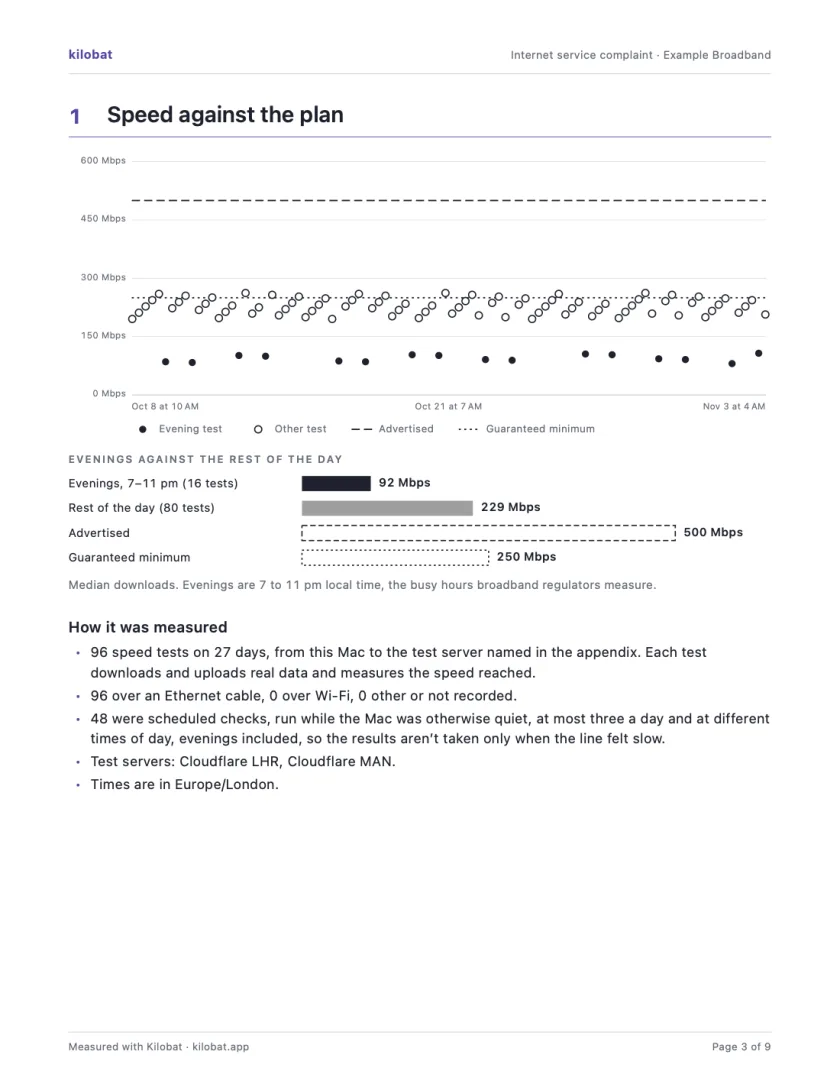
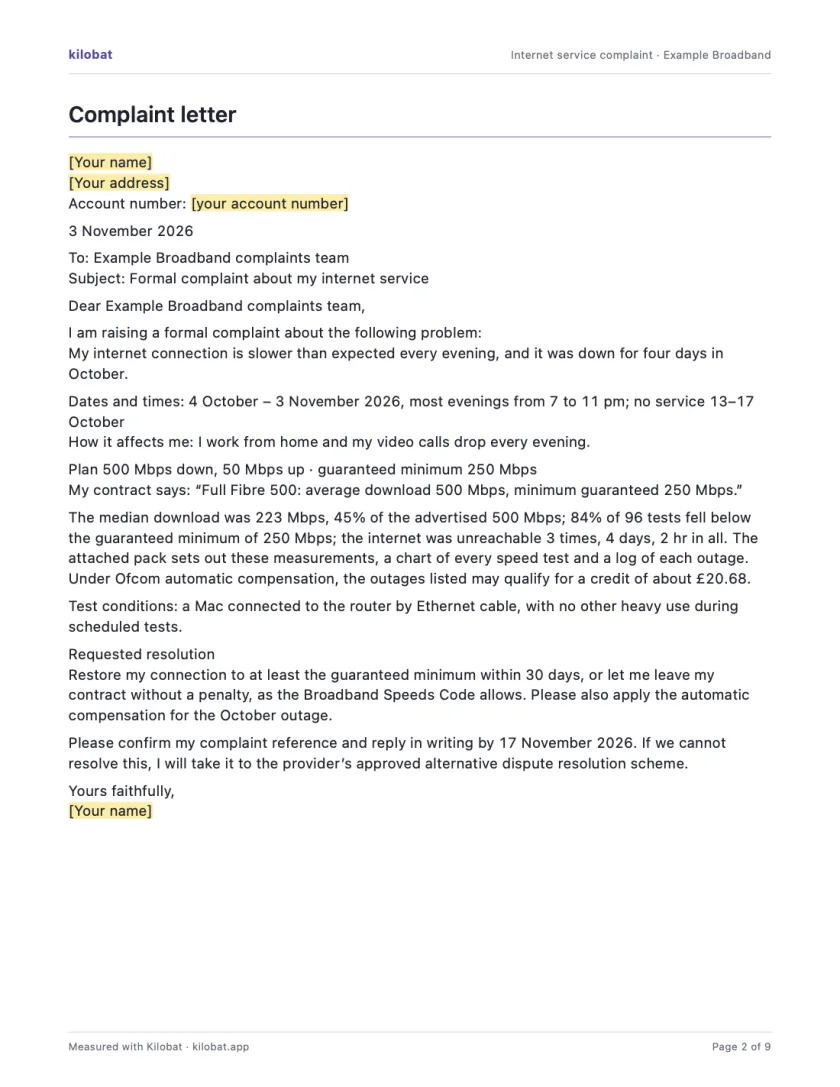
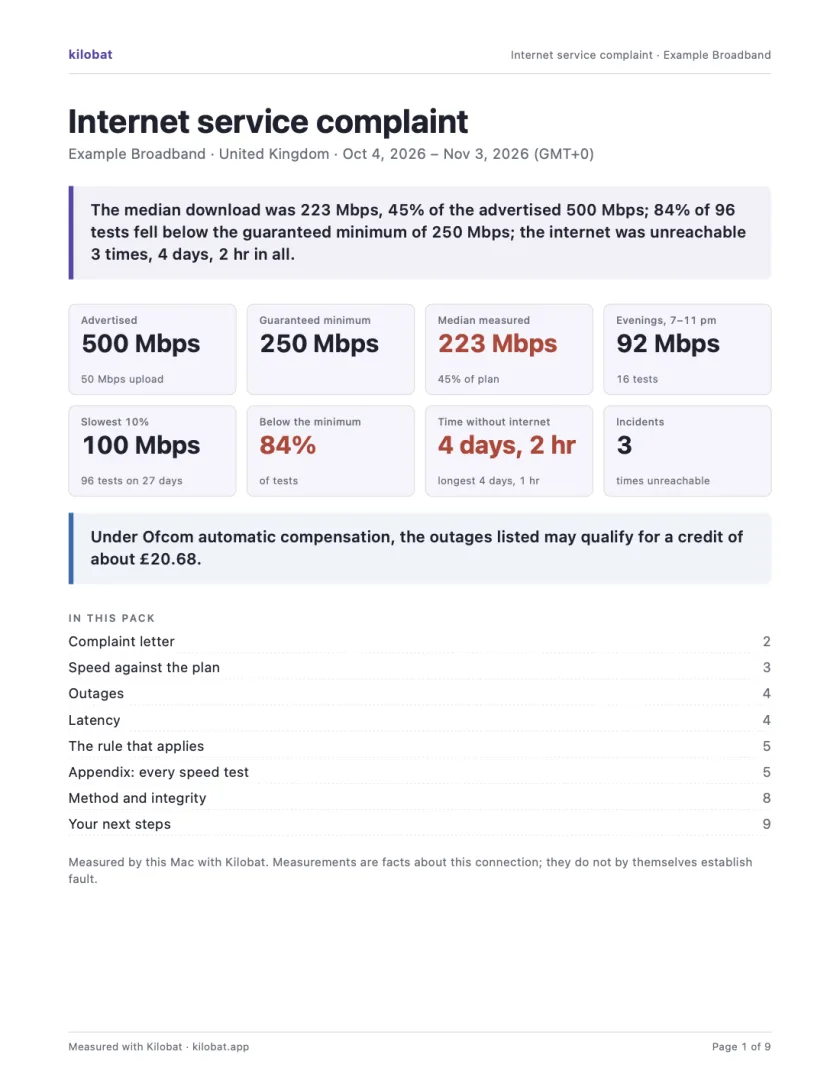
In Kilobat’s Health, click Report… and the Complaint tab takes you through four steps: the problem, your evidence, your request and a review. Then Kilobat Pro builds one PDF: a summary, a letter ready to send, your speed against your plan, every outage and the rule that applies, saved beside the evidence file it came from. The Quick report is free; the Complaint tab, its PDF pack and the outage-credit estimate and claim are part of Kilobat Pro.
Sources
- AGCOM: disputes between users and operators
- AGCOM: the conciliation procedure
- AGCOM: Delibera 203/18/CONS, dispute resolution rules
- AGCOM: Regolamento indennizzi, Delibera 347/18/CONS (PDF)
- MisuraInternet: Ne.Me.Sys
- MisuraInternet: complaint with a Ne.Me.Sys certificate
Checked on 6 November 2026.