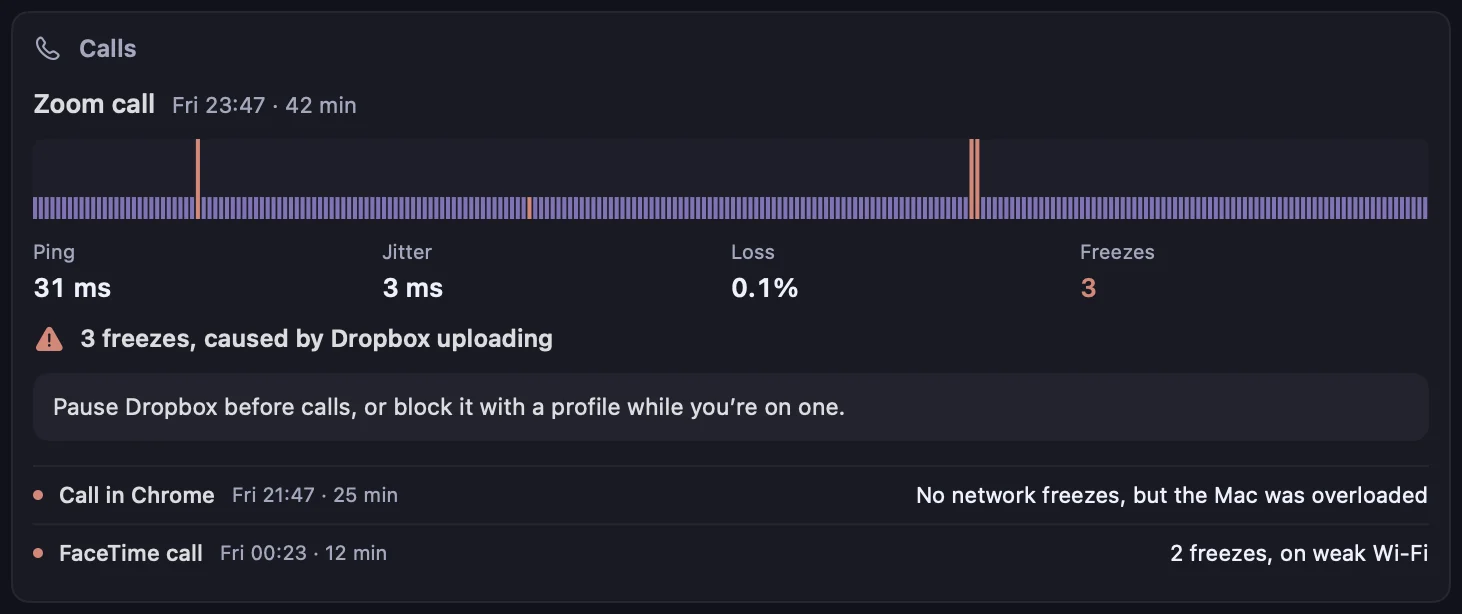
Six reasons a call freezes. Kilobat names which one.
Once a second during a call, Kilobat pings the internet and your router and notes which apps are busy and how hard the Mac is working. A few kilobytes a minute, and nothing about the call itself.
What happenedWhat caused itWhat the card says
Frozen video while a file syncs
Another app on your Mac uploading or downloading: Dropbox, iCloud, a backup, a game launcher.
The card names the app and whether it was uploading. Pro
Freezes even with nothing running
Another device on your network: a TV streaming in 4K, a console downloading, a backup on another computer.
When your router shares its traffic counters (UPnP), Kilobat sees the line busy with traffic your Mac didn’t send. It only reads them. Pro
Short stutters on a beat
AirDrop scanning: the Mac’s radio hops channels to look for nearby devices.
Named on the card, and Call mode can pause AirDrop for the call. Pro
Freezes when you move rooms
The Wi-Fi: weak signal, a busy channel, or the router itself stalling.
Kilobat sees the router stall too, so the freeze is in the room, not out on the internet. Pro
Everyone freezes at once
Beyond your router: your provider or the call’s own servers.
Router fine, nothing else busy, internet slow: it says so, and the provider report proves it. Pro
Clean line, choppy call anyway
The Mac itself: CPU maxed out, memory running out, running hot, or the GPU saturated by video effects.
The card says which, and which app used the CPU. Pro
Before, during and after the call.
Kilobat notices a call when Zoom, Teams, FaceTime, Slack, Webex, Discord, WhatsApp, Telegram, Signal or a browser on Meet uses the microphone. It never hears or records the call.
- 5 min before
A check before the meeting.
About five minutes before a calendar event with a Zoom, Meet, Teams or similar link, Kilobat checks the line in ten seconds: other apps’ traffic, the Wi-Fi, a hundred quick pings, AirDrop and the Mac’s load. It tells you only when something would freeze the call, such as “Dropbox is uploading and Wi-Fi is weak”, with a button to pause them until the call ends.
- During
Call mode holds the bandwidth hogs.
When the call starts, Kilobat suspends Dropbox, Google Drive, OneDrive, Backblaze, Steam, Battle.net, Creative Cloud and other sync, backup and download apps that are running, and refuses their new connections. Pause AirDrop too, if you like. They resume the moment the call ends, or after three hours at most. Apple’s own iCloud and update services are never suspended.
Pro - After
The report card.
A notification and a card in Health › Calls: ping, jitter and loss, each freeze on a timeline, what caused it and what to try. Kilobat counts the freezes for free; Pro names each cause.
Free
What’s free, and what Pro adds
Free, for good
- How many times each call froze, after every call
- Speed and stutter tests that say whether a call will hold up
- Live upload and download for every app
- A report for your provider or IT desk
kilobat calls and the MCP tool for agents
Pro, $19 once
- The cause of every freeze, and what to try
- Call mode: Dropbox, Steam and friends held for the call
- Pausing busy apps from the check before a meeting
- Wi-Fi health, history and outages
Pro is $19 once for two Macs, with a 7-day free trial and 14-day refunds. Free for students.
Make the next call the clean one.