Internet problems in Spain: operator claims and the Telecom User Office
Complain to your operator first. If it does not answer within one month, or you disagree, the Oficina de Atención al Usuario de Telecomunicaciones decides the claim for free.
When this helps
- Your home internet service is in Spain.
- A persistent fault or speed problem remains unresolved.
Record outages and speeds
Note when each outage started and ended. The refund rules depend on its length and the time of day.
The CNMC offers a free speed test that follows BEREC guidelines. Use it over a cable and repeat it at different times.
Complain to the operator
Complain to the operator’s customer service within one month of learning of the problem.
Keep the complaint reference number and the date.
Wait one month for an answer.
Take it to the Oficina de Atención al Usuario
You can complain to the Oficina if the operator does not answer within one month, or its answer does not satisfy you. You then have three months to file.
The procedure is free. The Oficina must decide within six months, and its decision binds the operator.
Claims for damages are outside this procedure.
Refunds for internet outages
Under Real Decreto 899/2009, the operator must refund the fixed fees for the time a temporary internet outage lasted.
The refund is automatic when the outage lasts more than six hours between 8:00 and 22:00. It appears on your next bill.
For a bundle without a separate internet price, the internet share is 50% of the bundle price.
Prepare your complaint
Use the complaint template to state the problem, evidence and requested resolution. Keep the tone factual.
You can collect evidence without Kilobat. If you use a Kilobat report, review it before sharing and add your test conditions.
Still stuck?
You can ask for help at ping@kilobat.app. Send your symptoms and reviewed test results, with or without Kilobat.
Provider pages
Outage tools, equipment checks and how to complain, provider by provider.
The evidence pack
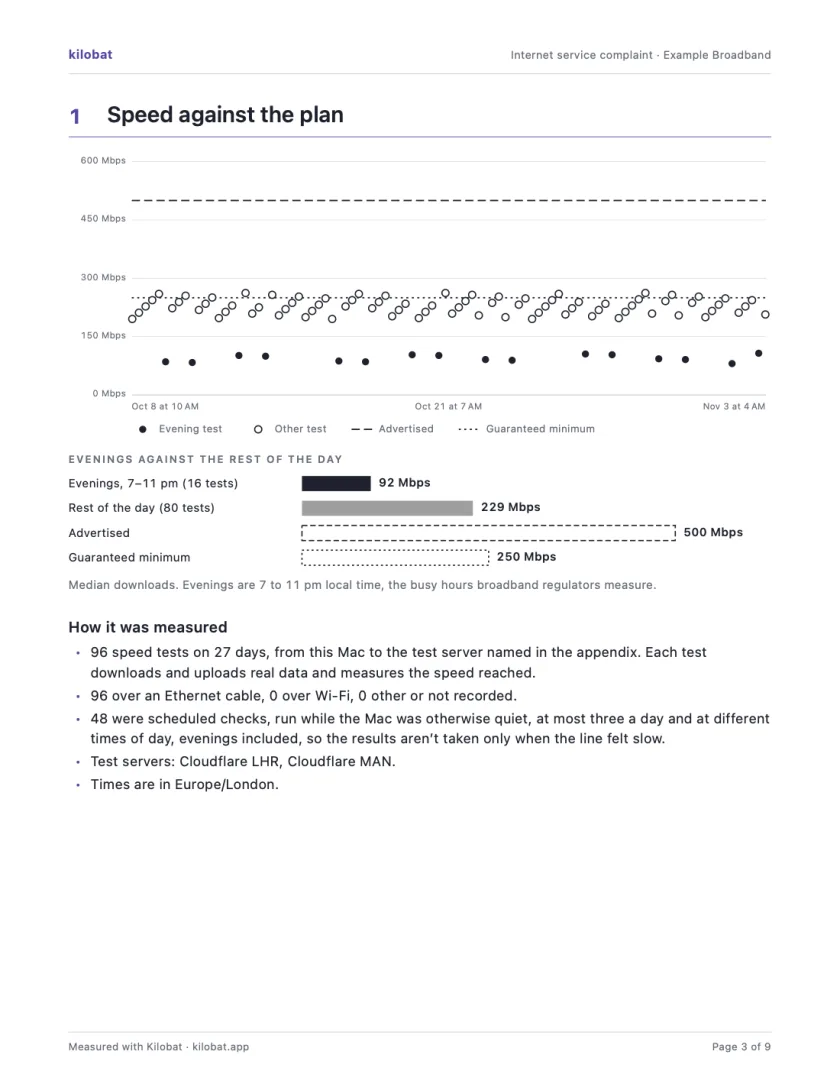
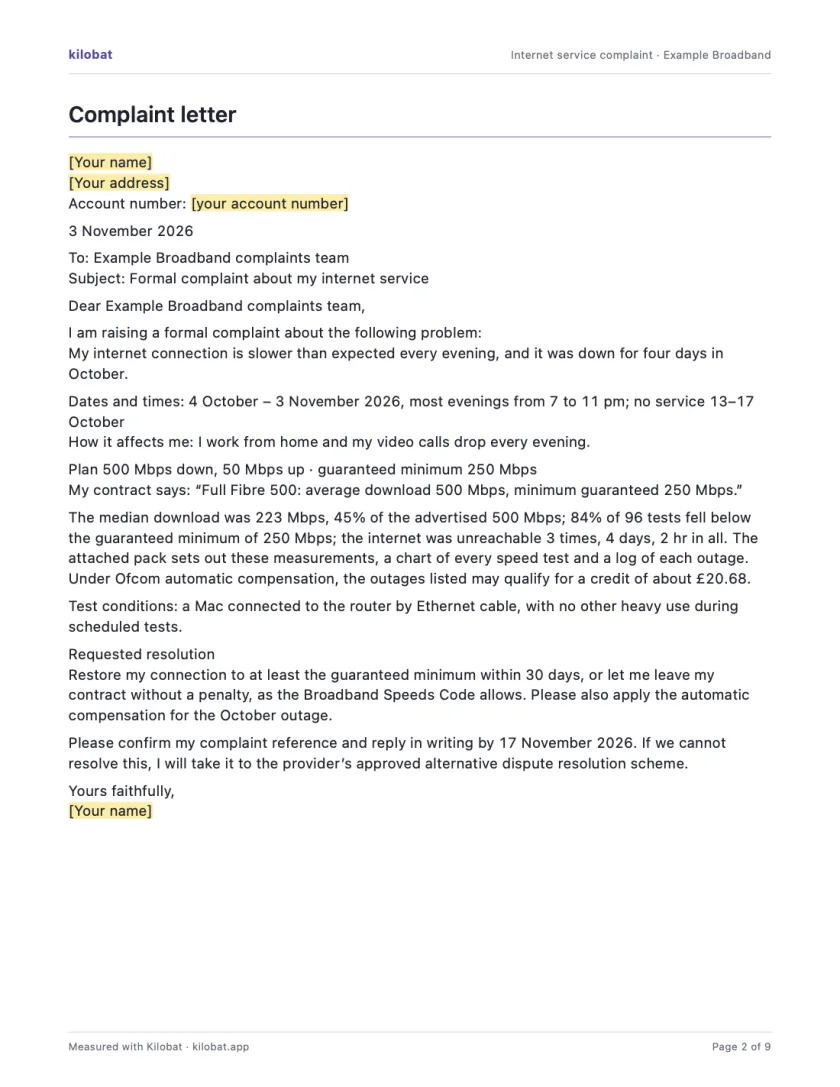
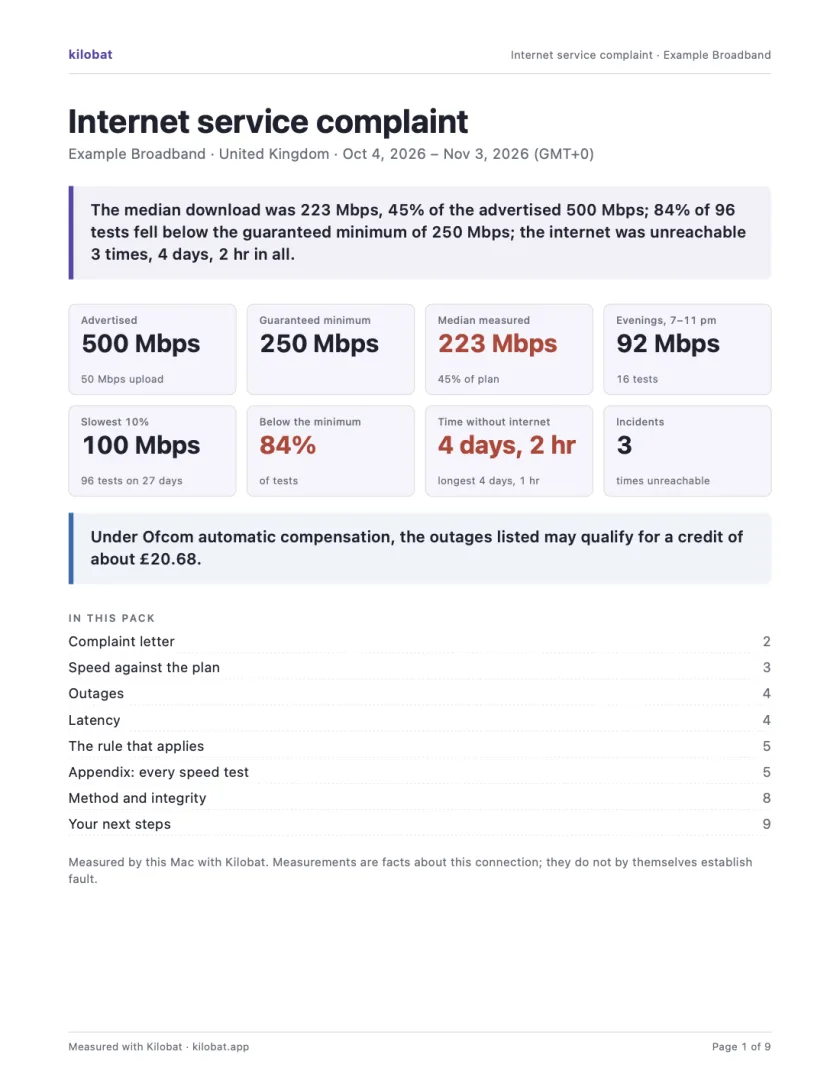
In Kilobat’s Health, click Report… and the Complaint tab takes you through four steps: the problem, your evidence, your request and a review. Then Kilobat Pro builds one PDF: a summary, a letter ready to send, your speed against your plan, every outage and the rule that applies, saved beside the evidence file it came from. The Quick report is free; the Complaint tab, its PDF pack and the outage-credit estimate and claim are part of Kilobat Pro.
Sources
- Oficina de Atención al Usuario de Telecomunicaciones: complaints FAQ
- Real Decreto 899/2009, charter of electronic communications user rights
- Orden ITC/1030/2007, the complaint procedure
- Ley 11/2022, General de Telecomunicaciones
- CNMC: speed test
Checked on 6 November 2026.