Internet problems in Belgium: operator complaints and the telecom ombudsman
Complain to your operator first. If it does not solve the problem, the Ombudsman for Telecommunications handles the complaint for free.
When this helps
- Your home internet service is in Belgium.
- A persistent fault or speed problem remains unresolved.
Measure your speed the way BIPT advises
Connect the computer to the modem with a cable.
Make sure no one else uses the connection.
Use the same speed test each time.
Test several times over several days, between 19:00 and 21:00.
Keep dated screenshots of the results.
Complain to the operator
Report the fault and make a complaint. Keep proof of it, because the ombudsman asks for it.
BIPT says a significant, constant or regular gap from your contracted speed can give contractual remedies, such as damages or termination.
Take it to the Ombudsman for Telecommunications
The service is free. Attach proof that you complained to the operator first. It refuses complaints made to the operator more than one year earlier.
It aims to settle a complete request within 90 calendar days. The operator suspends debt collection on the disputed amount for up to four months.
If there is no settlement, it issues a recommendation. An operator that does not follow it must explain why within 20 working days.
Automatic compensation for outages
Since 1 November 2024, operators must pay compensation after a complete outage of more than eight consecutive hours. This includes internet access.
The compensation is automatic, except for prepaid customers. The amount grows with each day of the outage and is at least 1/30 of the monthly fee.
The operator may offer compensation in kind, but you can refuse it.
Prepare your complaint
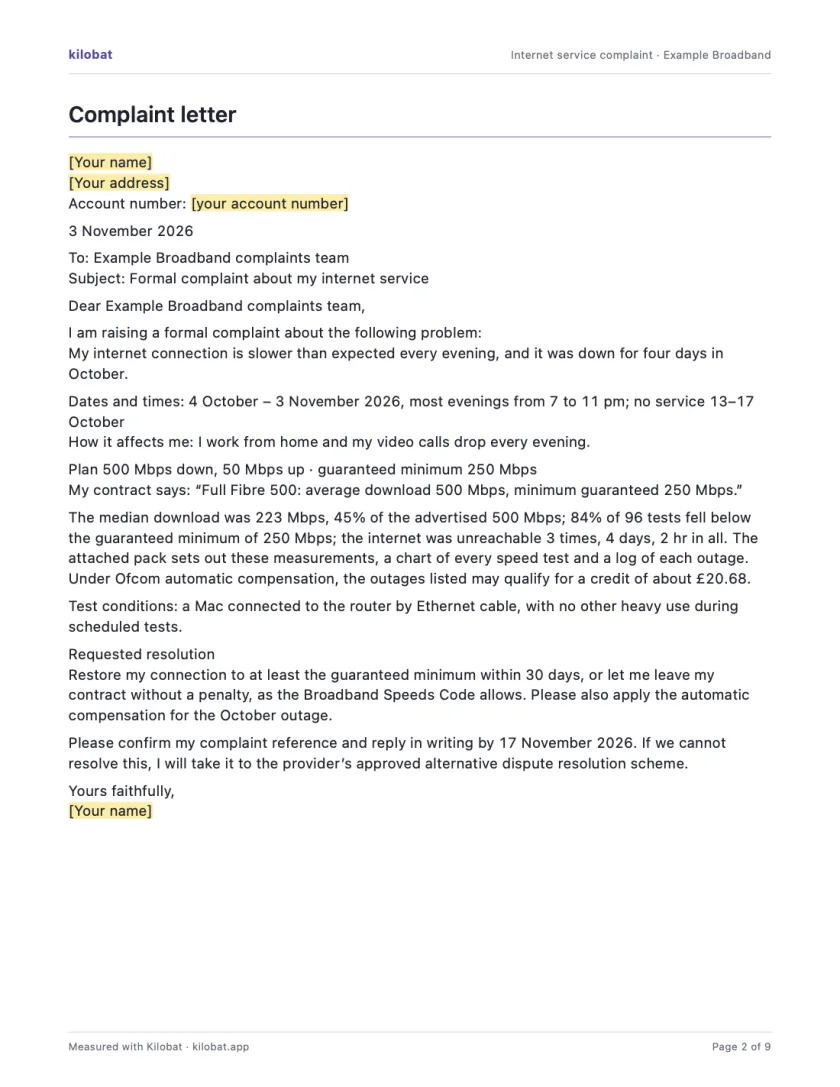
Use the complaint template to state the problem, evidence and requested resolution. Keep the tone factual.
You can collect evidence without Kilobat. If you use a Kilobat report, review it before sharing and add your test conditions.
Still stuck?
You can ask for help at ping@kilobat.app. Send your symptoms and reviewed test results, with or without Kilobat.
Provider pages
Outage tools, equipment checks and how to complain, provider by provider.
The evidence pack
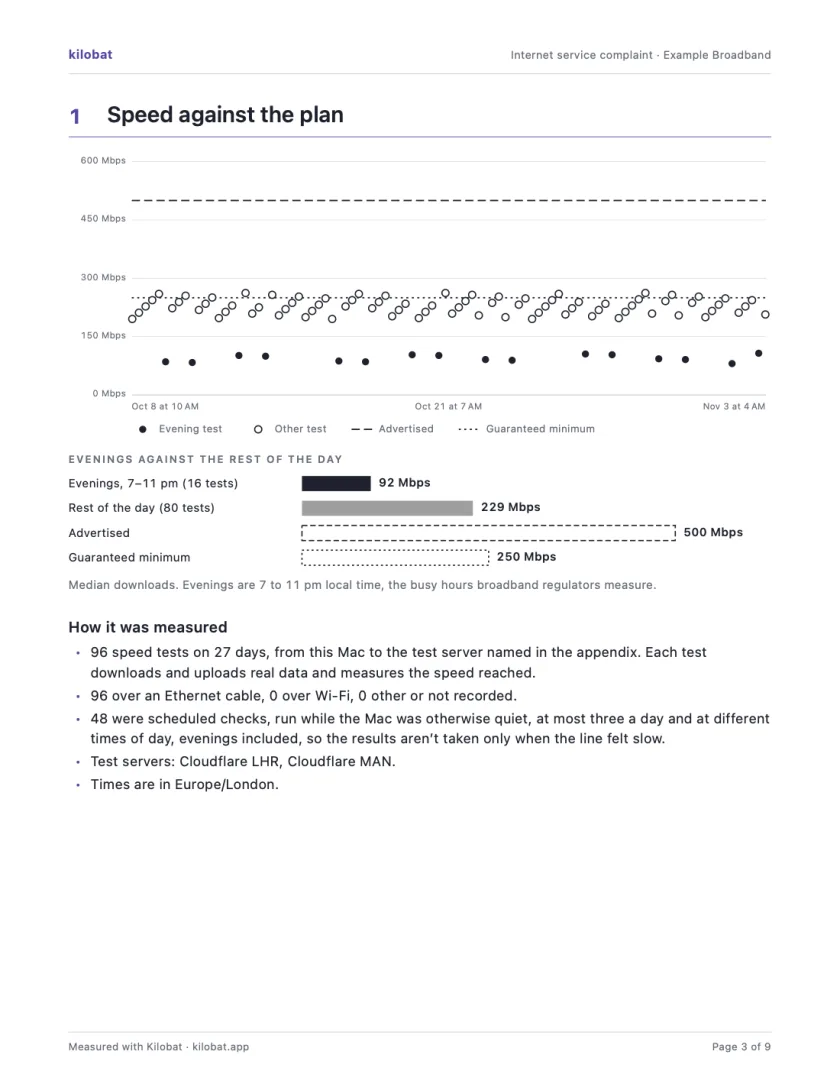
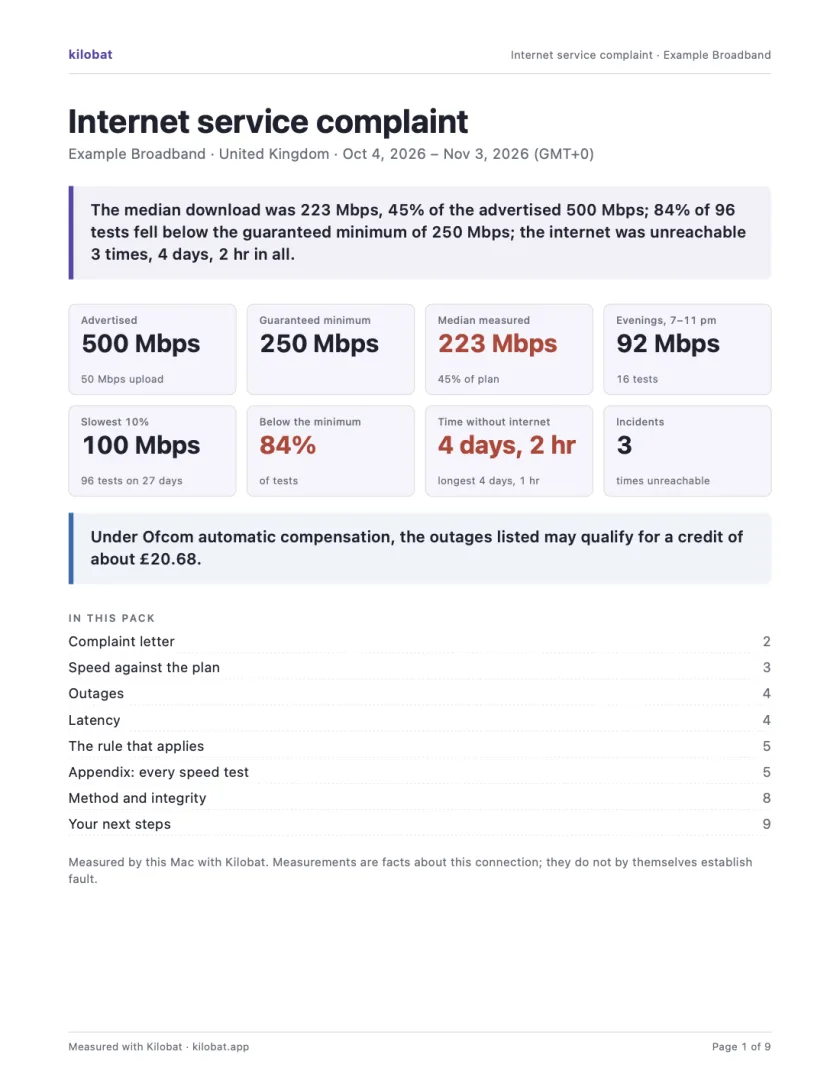
In Kilobat’s Health, click Report… and the Complaint tab takes you through four steps: the problem, your evidence, your request and a review. Then Kilobat Pro builds one PDF: a summary, a letter ready to send, your speed against your plan, every outage and the rule that applies, saved beside the evidence file it came from. The Quick report is free; the Complaint tab, its PDF pack and the outage-credit estimate and claim are part of Kilobat Pro.
Sources
- Ombudsman for Telecommunications: submit a complaint
- Service de médiation pour les télécommunications: rules of procedure
- BIPT: compensation for service interruption
- BIPT: slow fixed internet, where to complain
- BIPT: slow fixed internet, how to measure your speed
Checked on 6 November 2026.