Internet problems in Austria: RTR-Netztest and RTR dispute settlement
Complain to your provider in writing first. If it does not answer within four weeks, or you disagree with the answer, RTR’s dispute settlement body is free.
When this helps
- Your home internet service is in Austria.
- A persistent fault or speed problem remains unresolved.
Find three speeds in your contract
Fixed-line contracts must state the minimum, normally available and maximum speeds. Mobile internet contracts state only an estimated maximum.
Measure with the certified RTR-Netztest
Open the certified measurement on netztest.at in a desktop browser.
Complete at least three cycles on three different days within two weeks.
Each cycle runs about 1 hour 45 minutes, with a test every 15 minutes.
You need at least 18 successful tests, and at least two in each cycle.
Download each cycle’s PDF at once. RTR does not keep them.
On fixed lines, RTR treats the certified measurement as prima facie evidence for a warranty claim. It cannot record a complete outage.
Complain in writing
A phone call is not enough. Send a written complaint and keep a copy.
To dispute a bill, object within three months of receiving it. Pay the undisputed part.
Apply to the RTR dispute settlement body
You can apply if you disagree with the written answer or have waited more than four weeks. Apply within one year of the complaint to the provider.
The procedure is free. Apply with RTR’s online form. Disputes under €20 are usually not possible.
Prepare your complaint
Use the complaint template to state the problem, evidence and requested resolution. Keep the tone factual.
You can collect evidence without Kilobat. If you use a Kilobat report, review it before sharing and add your test conditions.
Still stuck?
You can ask for help at ping@kilobat.app. Send your symptoms and reviewed test results, with or without Kilobat.
Provider pages
Outage tools, equipment checks and how to complain, provider by provider.
The evidence pack
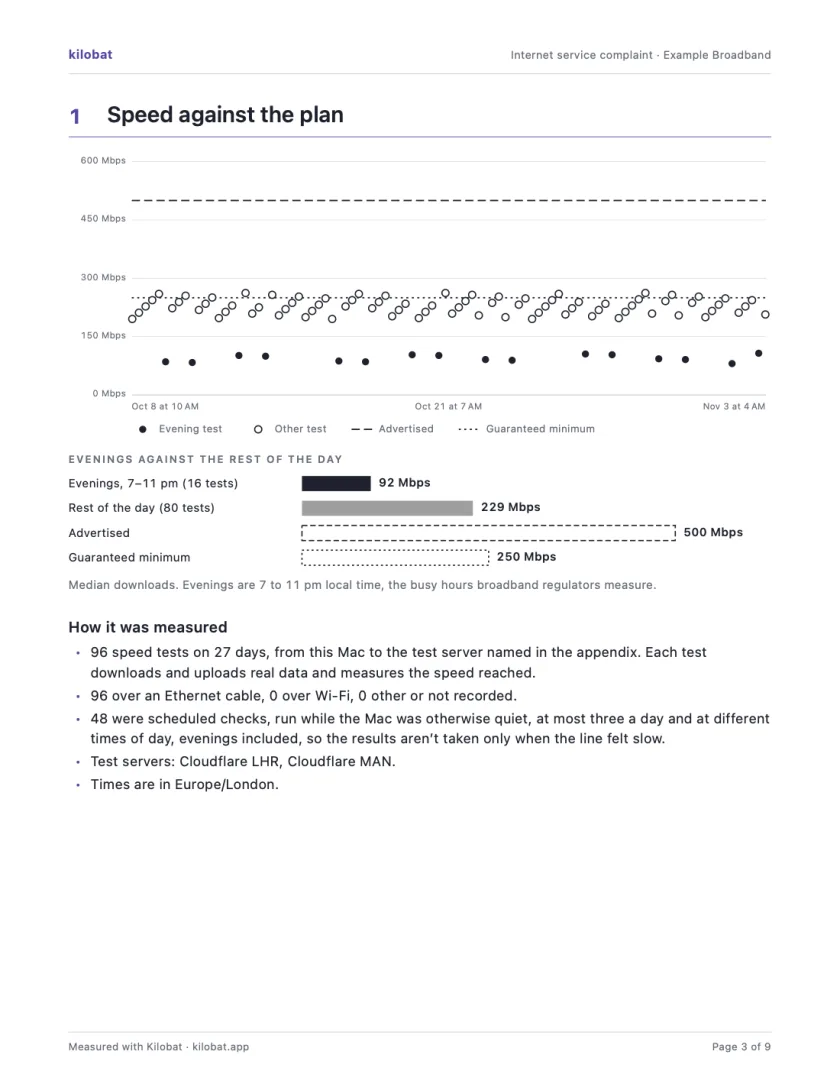
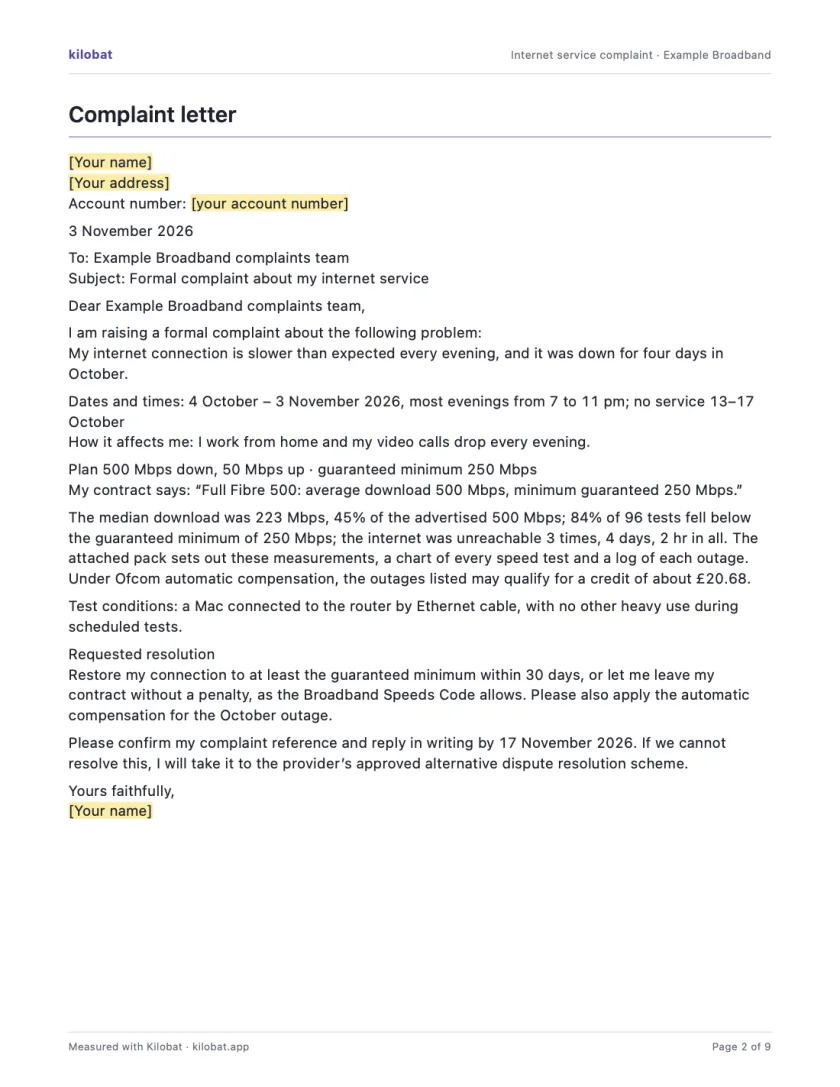
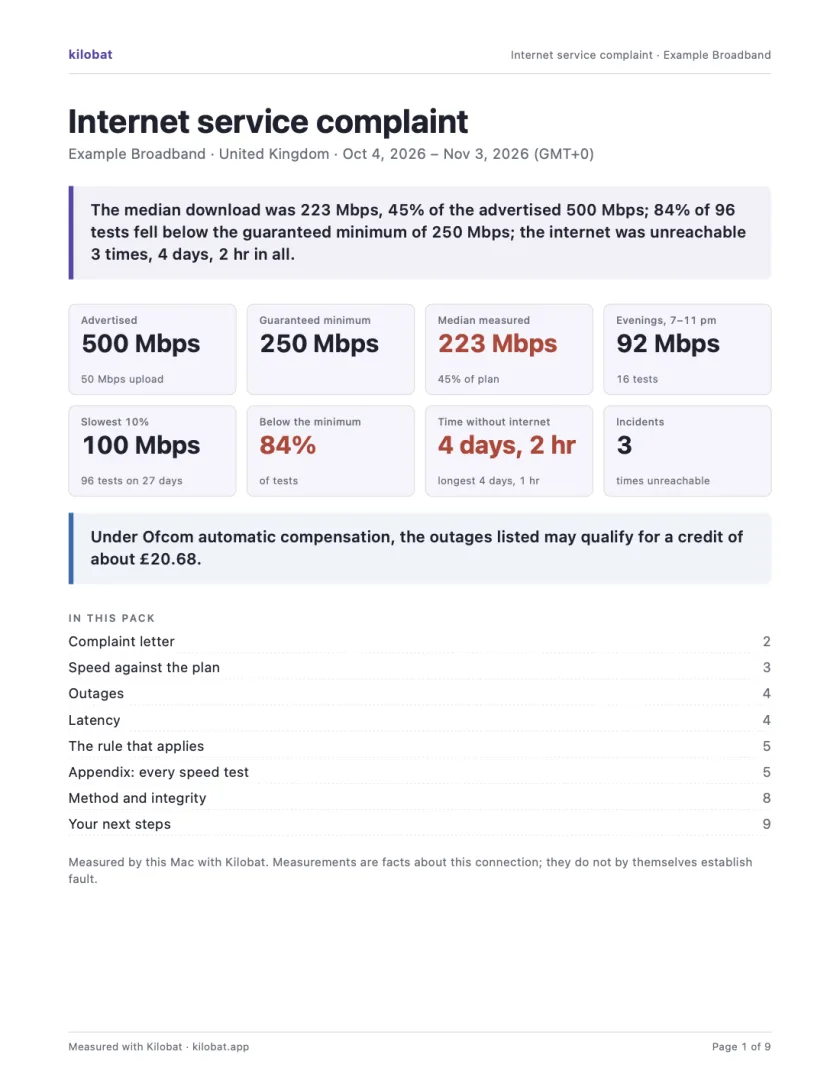
In Kilobat’s Health, click Report… and the Complaint tab takes you through four steps: the problem, your evidence, your request and a review. Then Kilobat Pro builds one PDF: a summary, a letter ready to send, your speed against your plan, every outage and the rule that applies, saved beside the evidence file it came from. The Quick report is free; the Complaint tab, its PDF pack and the outage-credit estimate and claim are part of Kilobat Pro.
Sources
- RTR: bill objection and dispute settlement
- RTR: the dispute settlement procedure
- RTR: internet connections and contract speeds
- RTR: certified measurement guide (PDF)
- RTR-Netztest: certified measurement
Checked on 6 November 2026.