Internet problems in Switzerland: provider complaints and ombudscom
Try to settle the problem with your provider first. If you cannot agree, ombudscom runs a conciliation for a CHF 20 fee.
When this helps
- Your home internet service is in Switzerland.
- A persistent fault or speed problem remains unresolved.
Record the fault
Keep outage dates, test results and your contract’s speed wording. Test over a cable as well as Wi-Fi.
BAKOM says anyone can test their own connection with networktest.ch. Swisscom, Sunrise and Salt run it together.
Contact your provider first
Contact the provider orally or in writing and try to reach an agreement. Keep the dates and what it said.
An attempt counts as failed if the provider does not answer an email or online form within three working days. For a letter, it has seven working days. A phone queue of over 15 minutes also counts.
Request a conciliation from ombudscom
Your last contact with the provider should generally be no more than 12 months old. No court case on the same matter can be open.
The fee is CHF 20. A conciliation can take up to three months or more.
ombudscom cannot award damages. Its proposal binds only if both sides sign it.
Your contract decides the remedy
For slow speeds or outages, check your contract’s service-quality and fault terms. Ask the provider for the credit or repair they describe.
Prepare your complaint
Use the complaint template to state the problem, evidence and requested resolution. Keep the tone factual.
You can collect evidence without Kilobat. If you use a Kilobat report, review it before sharing and add your test conditions.
Still stuck?
You can ask for help at ping@kilobat.app. Send your symptoms and reviewed test results, with or without Kilobat.
Provider pages
Outage tools, equipment checks and how to complain, provider by provider.
The evidence pack
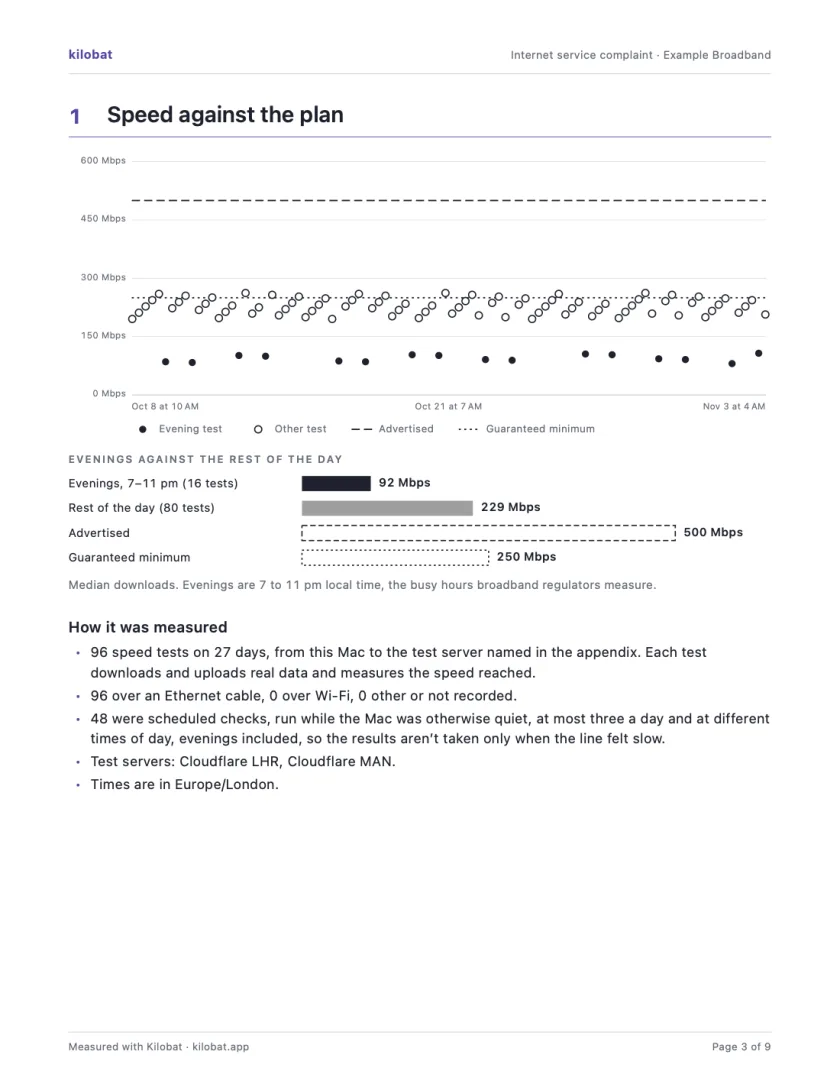
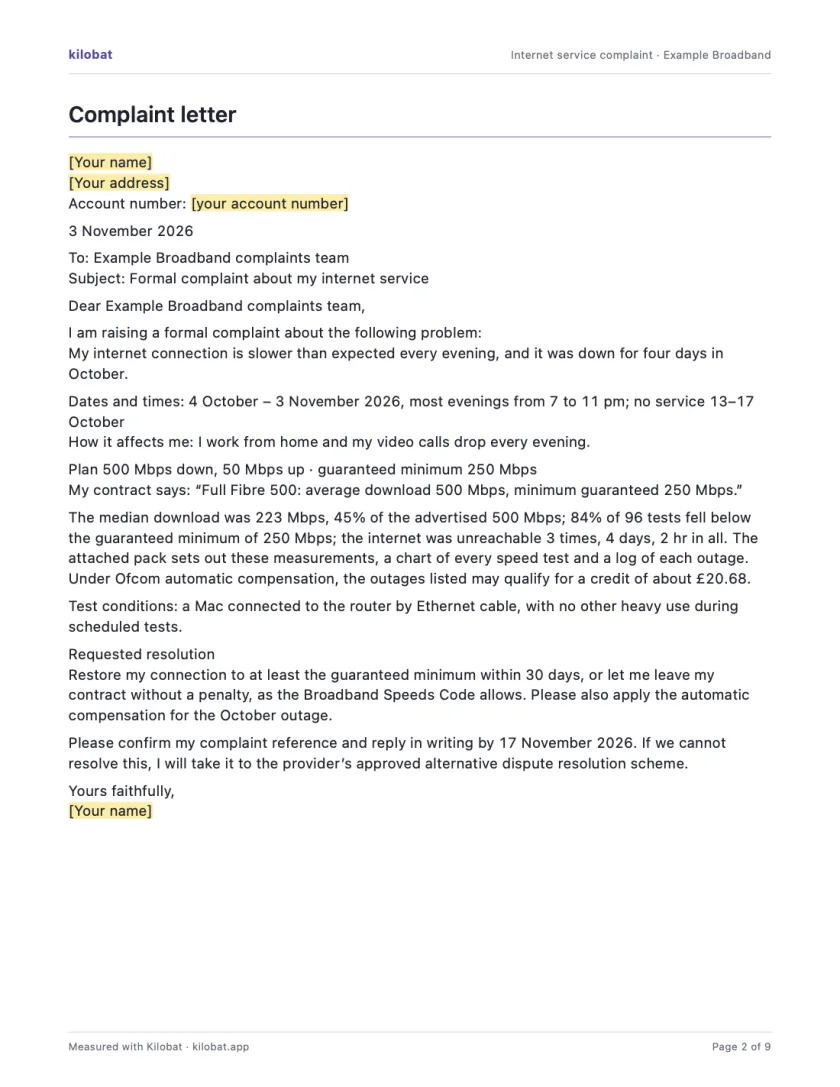
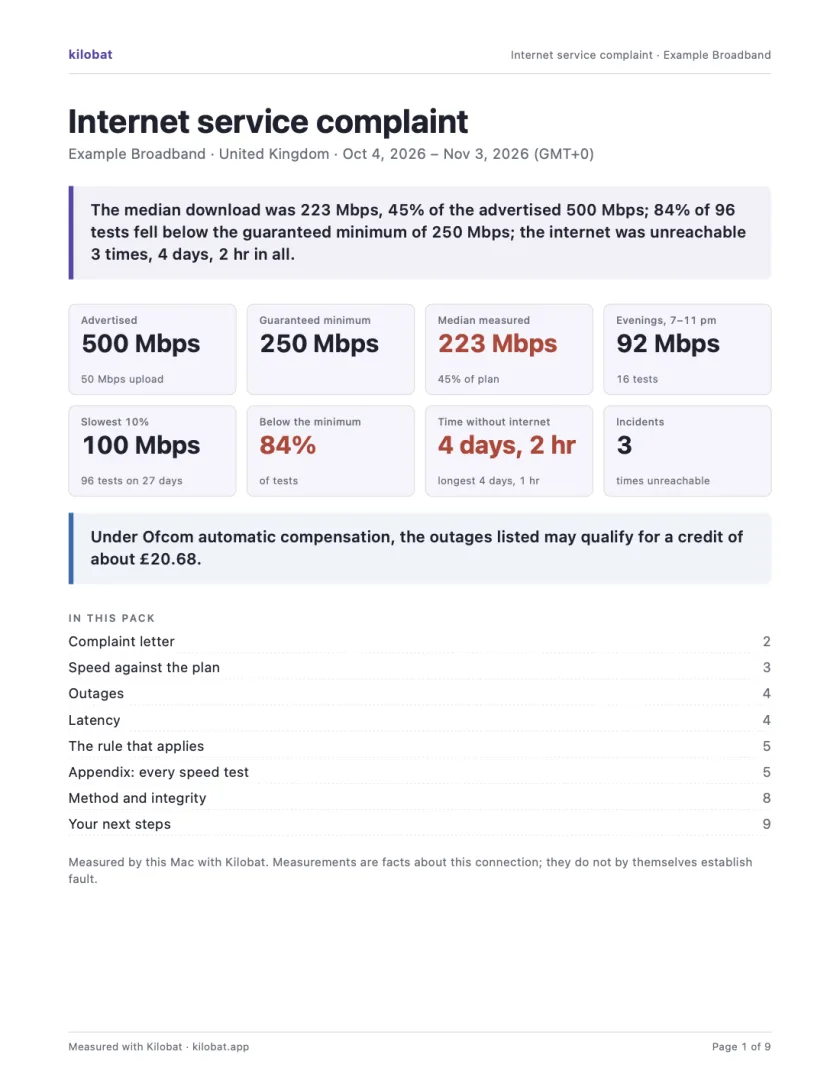
In Kilobat’s Health, click Report… and the Complaint tab takes you through four steps: the problem, your evidence, your request and a review. Then Kilobat Pro builds one PDF: a summary, a letter ready to send, your speed against your plan, every outage and the rule that applies, saved beside the evidence file it came from. The Quick report is free; the Complaint tab, its PDF pack and the outage-credit estimate and claim are part of Kilobat Pro.
Sources
- ombudscom: conciliation request
- ombudscom: admissibility practice
- ombudscom: questions and answers
- BAKOM: when can I contact ombudscom?
- BAKOM: measuring internet access quality
Checked on 6 November 2026.