Broadband problems in Singapore: provider complaints and IMDA’s ADR scheme
Approach your provider first. If the dispute stays unresolved, IMDA’s ADR scheme offers mediation and a binding determination for a fee.
When this helps
- Your home internet service is in Singapore.
- A persistent fault or speed problem remains unresolved.
Record the fault and your plan
Keep outage dates, test results and your plan’s speed wording. IMDA requires operators to publish typical speeds as well as the maximum.
Use the same speed test each time, over a cable as well as Wi-Fi.
Approach the provider first
Contact the provider and try to resolve the dispute.
Keep its case reference and written answers.
Before formal ADR, give the provider 14 days’ notice that you intend to use it.
Use IMDA’s ADR scheme
Singapore Mediation Centre runs the scheme for IMDA. Providers must take part once you opt in.
It covers fixed broadband disputes up to S$10,000 that arose within the past year. Customer service complaints and lost profits are outside the scheme.
Mediation costs you S$10. A determination costs S$225 after mediation, or S$375 if you go straight to it. A determination is binding.
Quality of service standards
IMDA sets quality of service standards for fibre broadband, such as network availability above 99.9% a month. Breaches lead to fines paid to IMDA, not compensation to customers.
Ask the provider for any rebate your contract describes.
Prepare your complaint
Use the complaint template to state the problem, evidence and requested resolution. Keep the tone factual.
You can collect evidence without Kilobat. If you use a Kilobat report, review it before sharing and add your test conditions.
Still stuck?
You can ask for help at ping@kilobat.app. Send your symptoms and reviewed test results, with or without Kilobat.
Provider pages
Outage tools, equipment checks and how to complain, provider by provider.
The evidence pack
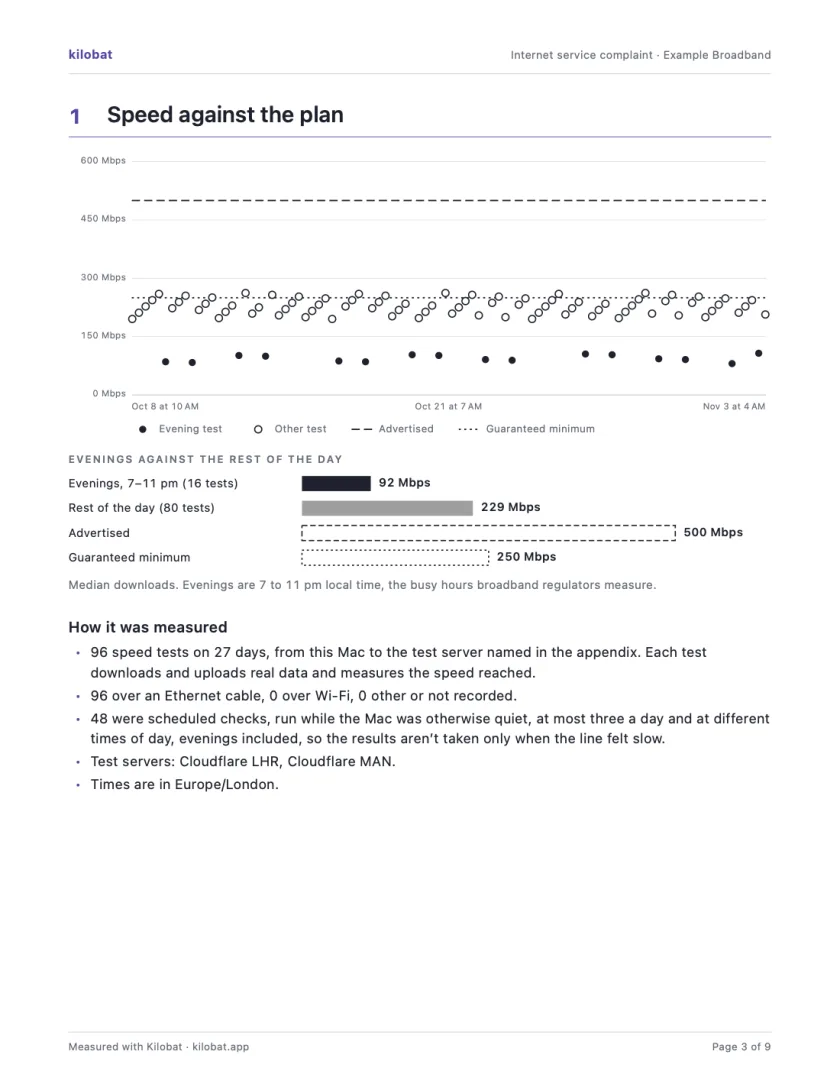
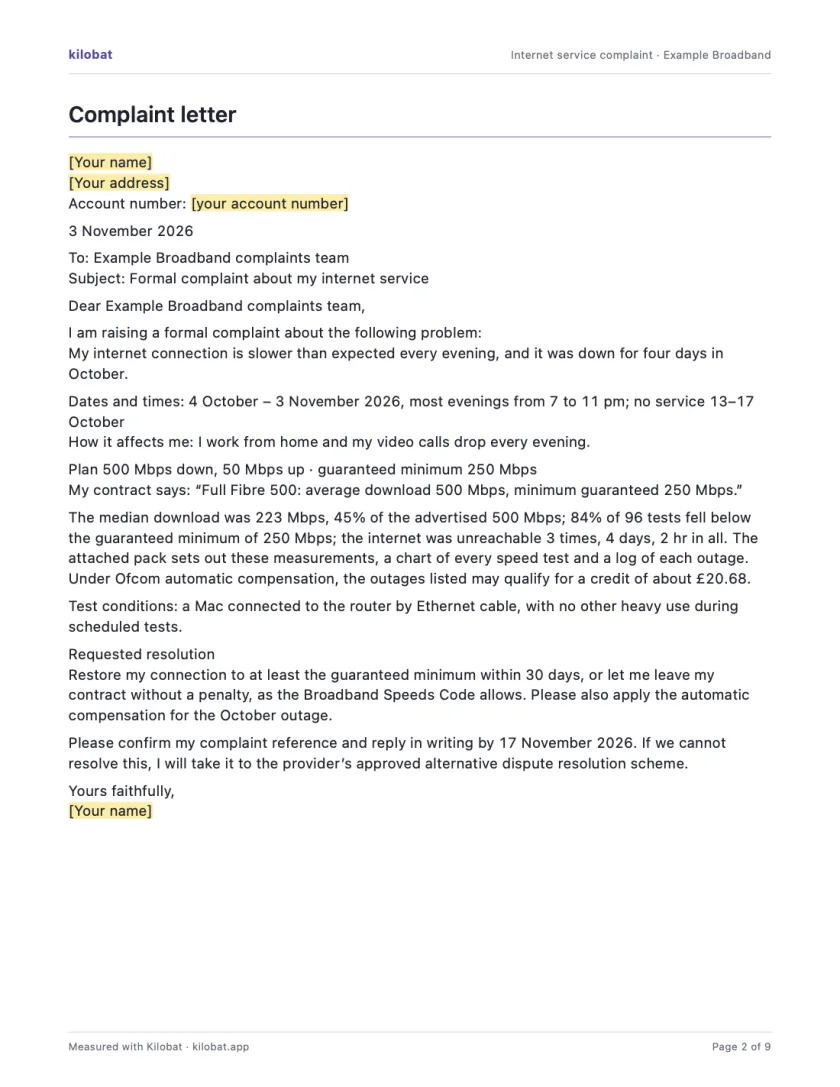
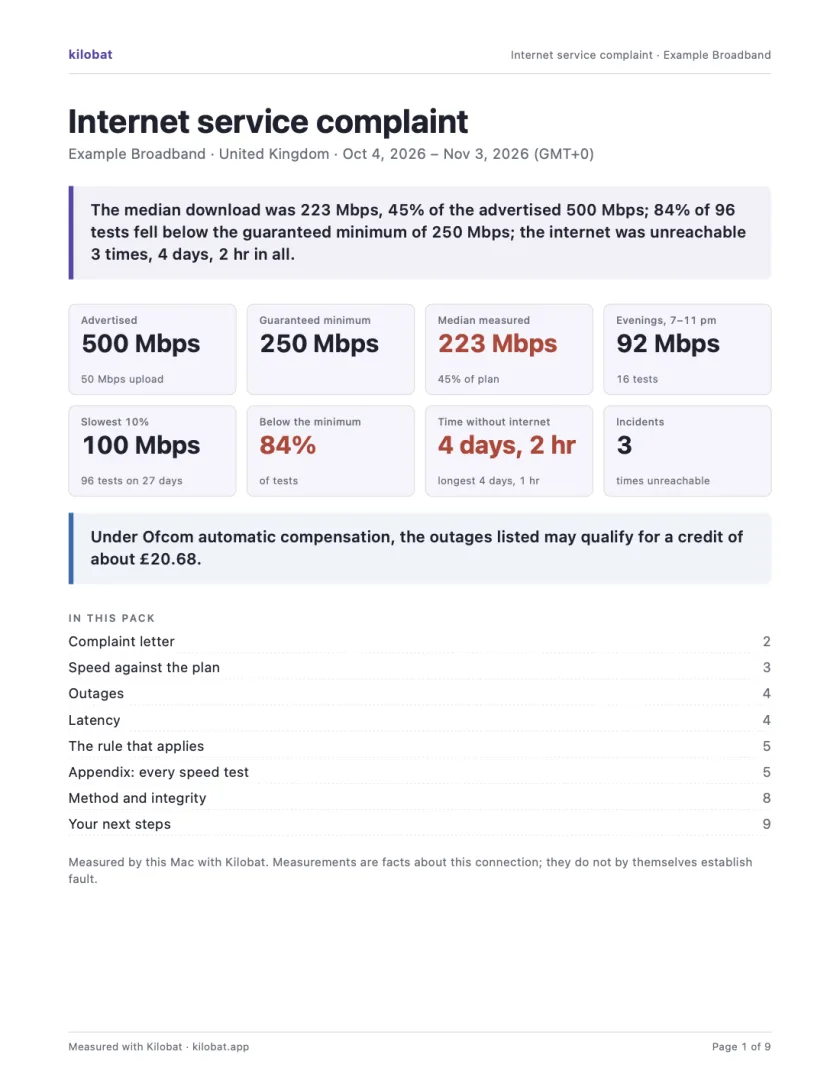
In Kilobat’s Health, click Report… and the Complaint tab takes you through four steps: the problem, your evidence, your request and a review. Then Kilobat Pro builds one PDF: a summary, a letter ready to send, your speed against your plan, every outage and the rule that applies, saved beside the evidence file it came from. The Quick report is free; the Complaint tab, its PDF pack and the outage-credit estimate and claim are part of Kilobat Pro.
Sources
- IMDA: Alternative Dispute Resolution scheme
- Singapore Mediation Centre: telecommunication and subscription TV ADR
- IMDA: quality of service
- IMDA: consumer broadband
Checked on 6 November 2026.