Internet problems in Poland: reklamacja, UKE conciliation and SMJI
File a complaint (reklamacja) with your provider. If it does not reply within 30 days, the complaint is deemed accepted.
When this helps
- Your home internet service is in Poland.
- A persistent fault or speed problem remains unresolved.
Measure with UKE’s SMJI kit
UKE’s System Monitorowania Jakości Internetu (SMJI) is the certified measurement mechanism for fixed lines. UKE lends the measurement kit free of charge.
The probe connects to your router by cable. You receive the report after you return the kit.
The report may be evidence when the speed differs significantly and regularly from the contract.
File a reklamacja
File the reklamacja within 12 months. The time limit runs from the end of the billing period with the problem.
State the compensation or refund you want.
If the provider does not reply within 30 days, the complaint is deemed accepted.
Your contract must state the compensation for not meeting the contracted quality level.
UKE’s out-of-court dispute resolution
If the provider rejects the complaint, you can ask the President of UKE to settle the dispute out of court. The procedure is free.
UKE may refuse a dispute under 20 zł, or one filed more than a year after you contacted the provider.
The result is not binding, and you can still go to court. The procedure takes up to 90 days.
Prepare your complaint
Use the complaint template to state the problem, evidence and requested resolution. Keep the tone factual.
You can collect evidence without Kilobat. If you use a Kilobat report, review it before sharing and add your test conditions.
Still stuck?
You can ask for help at ping@kilobat.app. Send your symptoms and reviewed test results, with or without Kilobat.
Provider pages
Outage tools, equipment checks and how to complain, provider by provider.
The evidence pack
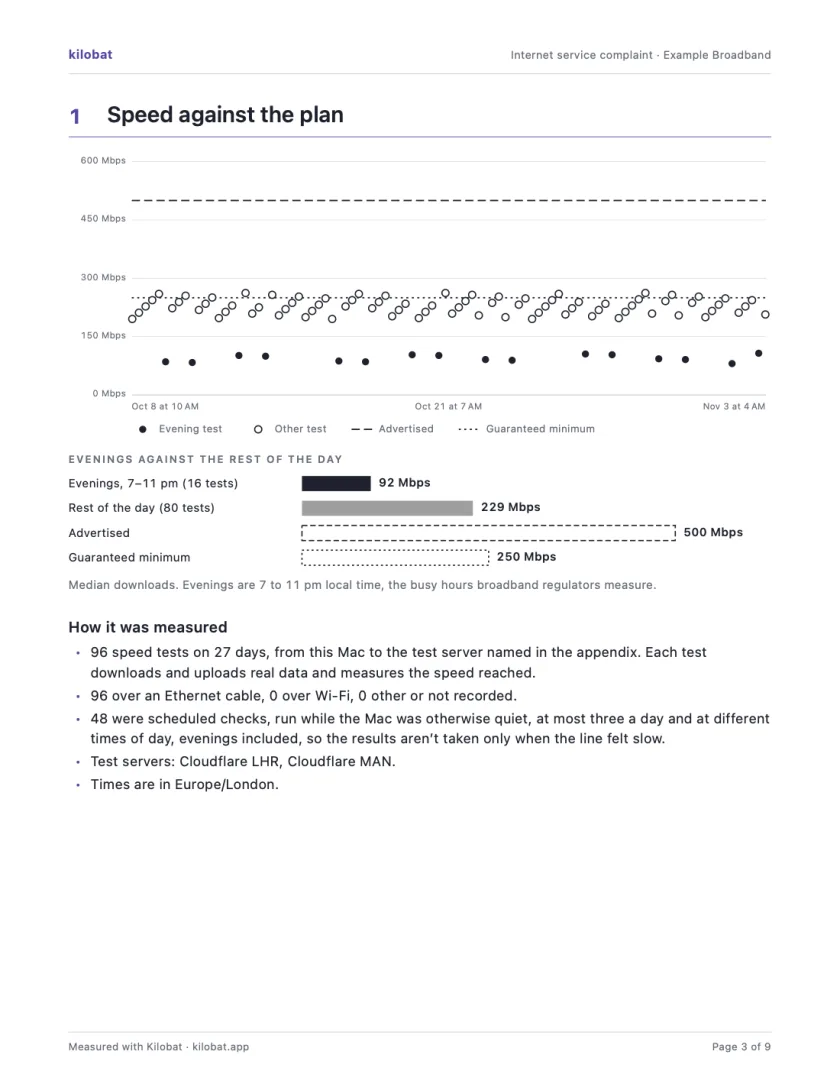
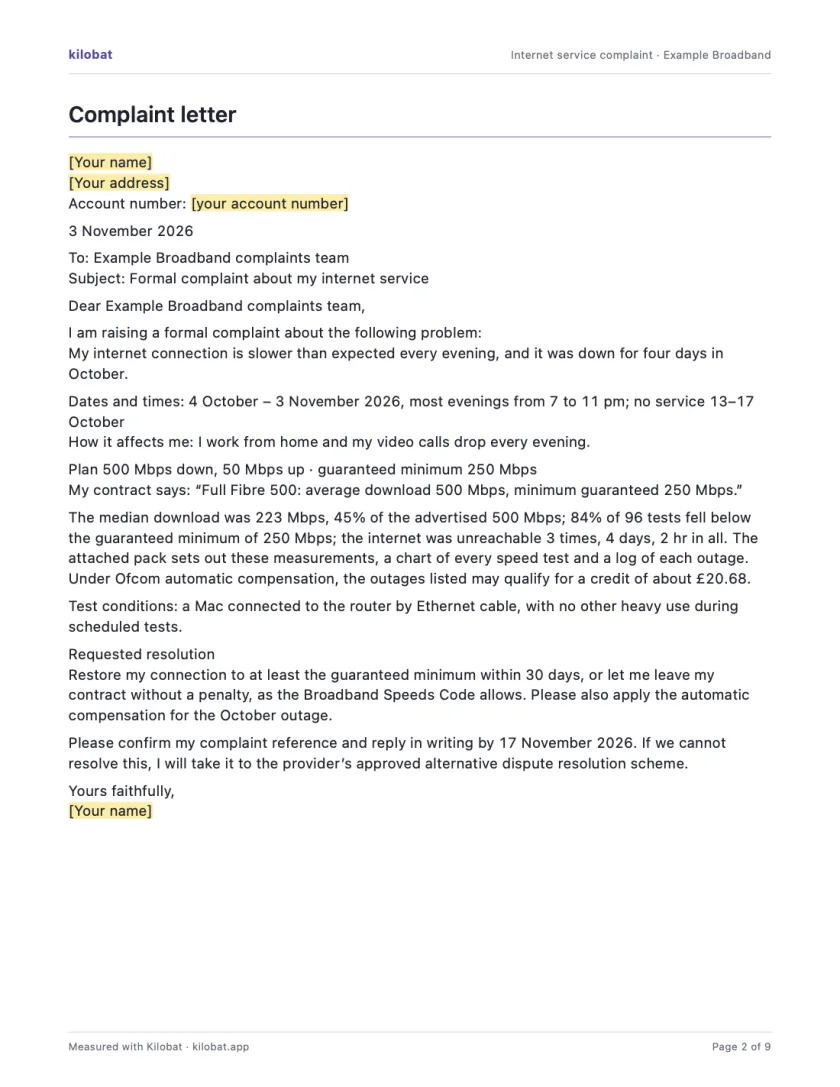
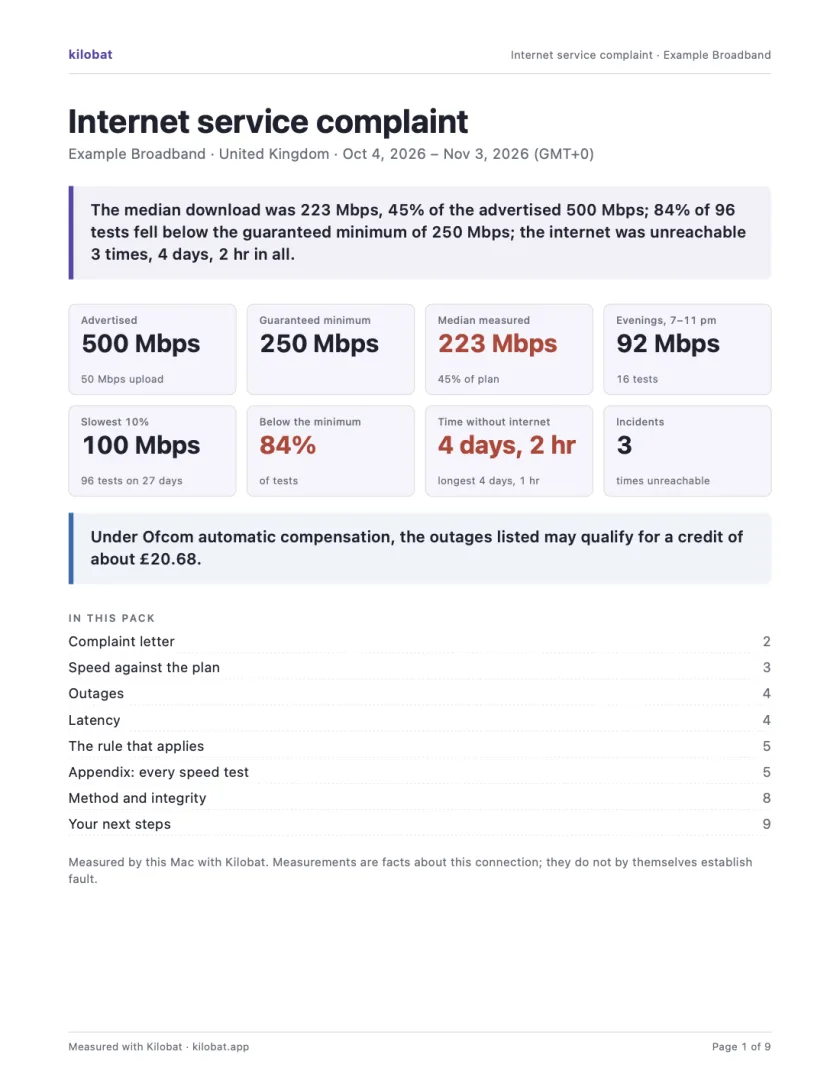
In Kilobat’s Health, click Report… and the Complaint tab takes you through four steps: the problem, your evidence, your request and a review. Then Kilobat Pro builds one PDF: a summary, a letter ready to send, your speed against your plan, every outage and the rule that applies, saved beside the evidence file it came from. The Quick report is free; the Complaint tab, its PDF pack and the outage-credit estimate and claim are part of Kilobat Pro.
Sources
- UKE Consumer Information Centre: alternative dispute resolution
- UKE Consumer Information Centre: complaints (reklamacje)
- UKE Consumer Information Centre: grounds for refusing a dispute
- UKE: SMJI terms of service
- Prawo komunikacji elektronicznej (Electronic Communications Law)
Checked on 6 November 2026.