Cameras and doorbells · Google
Nest Cam and Nest Doorbell Wi-Fi: bands, data use per month and going offline
Google Nest cameras and doorbells join your home Wi-Fi and are set up in the Google Home app (older models in the Nest app). The app finds the device over Bluetooth after you scan its QR code; there is no setup hotspot to join.
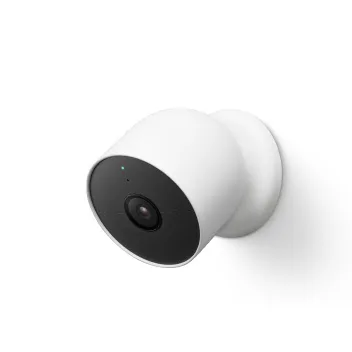
- Wi-Fi
- Dual band (2.4 and 5 GHz) on wired models; the battery cam, floodlight and battery doorbell are 2.4 GHz only outside the US and a few other countries.
- Security
- WEP, WPA, WPA2 and WPA3 on current models. Google recommends WPA2; WEP-ASCII isn’t compatible.
- App
- Google Home app (Nest app for older cameras)
- Models
- Nest Cam (battery), Nest Cam (wired), Nest Cam Indoor (wired, 3rd gen), Nest Cam Outdoor (wired, 2nd gen), Nest Cam with floodlight, Nest Doorbell (battery), Nest Doorbell (wired, 2nd gen), Nest Doorbell (wired, 3rd gen), Nest Doorbell (wired), Nest Cam IQ
Wi-Fi it needs
Google says most Nest products work with 5 GHz networks, but the band depends on the model and, for battery models, the country.
- 2.4 and 5 GHz: Nest Cam Indoor (wired, 3rd gen), Nest Cam Outdoor (wired, 2nd gen), Nest Cam (indoor, wired), and Nest Doorbell (wired, 2nd and 3rd gen).
- Nest Cam (battery): 2.4 GHz only in Europe, Canada and Australia; 2.4 and 5 GHz in the US, Mexico, India and Japan.
- Nest Cam with floodlight: 2.4 GHz only in Europe, Canada and Australia; dual band in the US.
- Nest Doorbell (battery) and Nest Doorbell (wired, 1st gen): dual band in the US, 2.4 GHz only elsewhere.
- Security: current models list WEP, WPA, WPA2 and WPA3. Google recommends WPA2 on the router, and Nest products don’t work with WEP-ASCII.
Set it up
Charge or plug in the camera first. Turn on your phone’s Bluetooth and keep the QR code sticker on the front of the camera: you need it for any later setup.
Open the Google Home app.
Tap Add › Device, or tap Set up if the app offers your camera.
Scan the QR code on the device. A check mark appears when it is read.
If it won’t scan, tap Use setup code and type the code instead.
Wait for the app to say “Connected”.
Follow the in-app steps to choose your Wi-Fi and finish setup.
Google says setup uses port 11095 for some Nest products. If setup stalls, consult Google’s model-specific setup guidance and your network administrator.
How much data it uses
Google publishes the maximum upload for each model and quality. The available quality settings vary by model and app. The camera lowers its bitrate itself when bandwidth runs short.
| Device | Quality | Maximum upload |
|---|---|---|
| Nest Cam (battery), Nest Cam (wired) | High | 700 Kbps (0.7 Mbps); 2000 Kbps (2.0 Mbps) during recorded events |
| Nest Cam (battery), Nest Cam (wired) | Max Video | 1000 Kbps (1.0 Mbps); about 3000 Kbps (3.0 Mbps) during recorded events |
| Nest Cam Indoor (wired, 3rd gen), Nest Cam Outdoor (wired, 2nd gen), Nest Doorbell (wired, 3rd gen) | Max Video | 3300 Kbps (3.3 Mbps) |
| Nest Doorbell (wired, 2nd gen) | High / Max | 700 Kbps (0.7 Mbps), 2000 Kbps during events / 1000 Kbps (1.0 Mbps), about 3000 Kbps during events |
| Nest Doorbell (battery) | High / Max | 700 Kbps (0.7 Mbps), 2000 Kbps during events / 1000 Kbps (1.0 Mbps) |
| Nest Doorbell (wired, 1st gen) | Low / Medium Low / Max Video | 125 Kbps / 800 Kbps / 1300 Kbps |
| Nest Cam IQ Indoor and Outdoor | Low / Medium low / Medium high / High | 800 / 1320 / 2000 / 4000 Kbps |
| Nest Cam Indoor and Outdoor (original) | Low / Medium low | 150 Kbps / 500 Kbps |
Data per month
Google’s high-end monthly estimates for 24/7 and event-based recording. Availability of 24/7 recording depends on the model, power and subscription. The battery doorbell does not support it, even when wired. Busy scenes use more.
| Device | With 24/7 recording | With event recording |
|---|---|---|
| Nest Cam (battery), Nest Cam (wired) | High 200 GB; Max 300 GB | High 10 GB; Max 75 GB |
| Nest Cam Indoor (wired, 3rd gen), Nest Cam Outdoor (wired, 2nd gen), Nest Doorbell (wired, 3rd gen) | Low 100 GB; Medium 200 GB; High 300 GB | Low 50 GB; Medium 100 GB; Medium High 150 GB; High 200 GB |
| Nest Doorbell (wired, 2nd gen) | Optimized 200 GB; Premium 300 GB | Optimized 10 GB; Premium 75 GB |
| Nest Doorbell (battery) | Not available | Optimized 2 GB; Premium 10 GB |
| Nest Doorbell (wired, 1st gen) | Low 50 GB; Medium 150 GB; High 300 GB | Low 50 GB; Medium 150 GB; High 300 GB |
| Nest Cam IQ Indoor and Outdoor | Low 100 GB; Medium 250 GB; High 400 GB | Low 100 GB; Medium 250 GB; High 400 GB |
| Nest Cam Indoor and Outdoor (original) | Low 30 GB; Medium 120 GB; High 300 GB | Low 30 GB; Medium 120 GB; High 300 GB |
Watching in the app over Wi-Fi downloads about as much as the camera uploads. Google advises against streaming camera video over a mobile hotspot, and recommends at least 2 Mbps upload per camera.
Guest, hotel and dorm Wi-Fi
Google lists networks that Nest products don’t work with, or that it doesn’t recommend.
- Captive portals: Nest products don’t work on networks with a sign-in or terms page, such as hotels, airports and coffee shops.
- Enterprise Wi-Fi: 802.1X/RADIUS networks aren’t compatible.
- Guest and public networks: not recommended. On someone else’s guest network you can’t reach the router to fix problems.
- Wireless isolation: a router setting that keeps devices apart can stop Nest products working, because they talk to each other in setup and daily use.
- Multicast: Google asks for multicast to be on when you add more Nest devices.
- Mobile hotspots: not recommended, because of data limits and the need for a 24/7 connection.
When it won’t connect
Google’s steps when a camera or doorbell won’t connect during setup. For a numbered code such as C-221, use the Nest camera troubleshooter in Nest Help.
Move the camera closer to the router, but keep it a few feet away.
Restart the camera: unplug it for 10 seconds, or press the back button once on a battery cam.
Check another device gets online. On a phone, turn on Airplane mode and then Wi-Fi.
Unplug the modem and router for 30 seconds, then plug them back in.
Move away anything that could interfere, then try again.
Check high firewall security or parental controls aren’t blocking new devices.
Don’t hold the camera’s button down, or a doorbell’s reset button for more than 20 seconds: that resets it to factory defaults.
When it keeps going offline
After each step, wait a few minutes and check whether live video comes back.
Check other devices at home can reach the internet.
Run a speed test on a phone next to the camera.
Move the camera or router closer, or move furniture and electronics that block the signal.
Restart the camera or doorbell.
Turn off other heavy users, or lower the camera’s video quality.
Charge the battery. Batteries can’t charge below 0 °C (32 °F).
Restart the modem, router and any extenders.
Unplug any range extender, so the camera uses the main router.
If you change the Wi-Fi name or password, follow Google’s model-specific instructions. Save any clips before removing or resetting a camera.
Questions
Does Nest Cam work on 5 GHz Wi-Fi?
Some do. Check the exact model and country. The battery cam and battery doorbell are 2.4 GHz only in Europe, Canada and Australia.
How much data does a Nest Cam use?
Google estimates 200 GB at High and 300 GB at Max for a month of 24/7 recording, where supported. Event recording estimates are 10 GB and 75 GB.
Can I use a Nest Cam on hotel Wi-Fi?
No. Google says Nest products don’t work on captive portal networks that need you to sign in or accept terms, nor on 802.1X enterprise Wi-Fi.
Sources
- Google Nest Help: Internet bandwidth and speed requirements for Nest cameras
- Google Nest Help: Technical specs for Google Nest cameras and doorbells
- Google Nest Help: Fix issues with your Nest camera or doorbell Wi-Fi
- Google Nest Help: Recommended Wi-Fi network and router settings
- Google Nest Help: Change Nest camera or doorbell video quality
- Google Nest Help: Network types that aren’t recommended for Nest products
- Google Nest Help: Set up your Nest camera in the Google Home or Nest app
- Google Nest Help: Troubleshoot connecting to the app during setup
- Google Home Help: Google Home Premium and 24/7 video history
- Google Nest Help: Change camera and doorbell Wi-Fi network
Checked on 1 November 2026.
See your network from your Mac
Kilobat is a Mac menu-bar app with a CLI and an MCP server for AI agents. It lists the devices on your Wi-Fi and says when a new one joins, keeps a history of the router’s and the internet’s health, scans nearby channels, and shows which app on your Mac is using the network. Read the docs.
brew install seifip/kilobat/kilobat