Cameras and doorbells · Reolink
Reolink Wi-Fi camera guide: 2.4 vs 5 GHz, bitrate per stream and going offline
Reolink’s Wi-Fi cameras and doorbells join your router directly and are set up in the Reolink app. Depending on the model, the camera learns your Wi-Fi from a QR code on your phone, over Bluetooth, or over an Ethernet cable first.
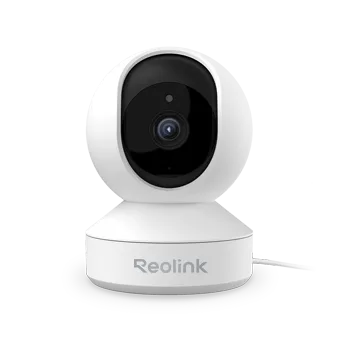
- Wi-Fi
- Dual band on most models; 2.4 GHz only on the E1 and other specified models. Check the exact model and hardware version.
- Security
- Encryption varies by model; check its specifications. Reolink says WEP is not supported.
- App
- Reolink app
- Models
- E1, E1 Pro, E1 Zoom, E1 Outdoor Pro, Lumus, Argus 4 Pro, Argus 3 Pro, TrackMix WiFi, Duo 2 WiFi, W330, RLC-810WA, Video Doorbell WiFi
Wi-Fi it needs
Reolink lists both dual-band and 2.4 GHz-only cameras. Bands and security can vary by model and hardware version; check its Wi-Fi specifications.
- 2.4 GHz only: E1, E Series E320/E321, RLC-211W, Lumus hardware IPC_325C7, Keen and specified Argus models. Check Reolink’s current list for the exact hardware version.
- Dual band: examples include the E1 Pro, E1 Zoom, W330, Argus 4 Pro and Video Doorbell WiFi. Check the model and hardware version.
- Security: Reolink says encryption varies by camera model and WEP is not supported. Check the Wi-Fi specifications for your specific camera.
- Network name and password: Reolink’s requirements and troubleshooting pages give different length and character guidance. Check the setup instructions for your model.
- One name for both bands: if a camera joins only one band, Reolink suggests giving each band its own name, such as
MyNetwork_2.4andMyNetwork_5. - Band preference: many dual-band models (E1 Pro, E1 Zoom, TrackMix WiFi, W330, RLC-810WA, Doorbell WiFi and others) can be set to Auto, Only 5GHz or Only 2.4GHz.
- Router settings: turn off AP or client isolation, and MAC address filtering or allow-lists.
Set it up
Reolink uses one of three setup methods, depending on the model. It documents no camera-made hotspot for your phone to join.
Power the camera and place it near your router.
In the Reolink app, tap the icon in the top-right corner to start setup.
Scan the QR code on the camera, or tap Input UID/IP and type its 16-character UID.
Tap Wi-Fi Not Configured, then enter your Wi-Fi password.
Tap Scan Now and hold the phone’s QR code about 20 cm (8 in) from the lens.
Wait about 60 seconds for “Connection to the router succeeded”, then set a camera password and name.
Models set up over Bluetooth
Newer battery and Wi-Fi models, such as the Argus series, TrackMix, E1 Outdoor and Duo 2 WiFi, receive the Wi-Fi details from the phone over Bluetooth. Only the Reolink app supports this, not the desktop client.
Models with an Ethernet port
Connect the camera to a LAN port on your router with an Ethernet cable and power it on.
Add it in the app and choose your Wi-Fi network from the list.
Unplug the Ethernet cable once setup is done, so the camera switches to Wi-Fi.
Move it to a new network
In the app, open the camera’s settings (the gear icon).
Go to More Features › Wi-Fi, choose the new network and enter its password.
Tap Save.
How much data it uses
Reolink publishes bitrates rather than data per day. A camera can send traffic for live viewing, cloud or FTP uploads, and notifications. Each stream has its own bitrate: Clear is the main stream and Fluent the sub-stream.
| Camera | Clear (main stream) | Fluent (sub-stream) |
|---|---|---|
| W330 (4K) | 2048–5120 Kbps, default 4096 Kbps | 64–512 Kbps, default 256 Kbps |
| E1 Pro (5 MP) | 2048–5120 Kbps, default 3072 Kbps | 128–1024 Kbps, default 1024 Kbps |
| Video Doorbell WiFi (5 MP) | 1024–6144 Kbps, default 4096 Kbps | 64–512 Kbps, default 256 Kbps |
| Argus 4 Pro (8 MP) | 1024–4096 Kbps, default 2048 Kbps | 256–1024 Kbps, default 512 Kbps |
Reolink’s general battery-camera bandwidth guide excludes the Argus and Go series and may not reflect every current model. Push notifications are under 1 KB each, so Reolink says to ignore them. Viewing live in Clear while it also uploads in Clear doubles the figure. For scale, 4096 kbps for a full hour is about 1.8 GB (our arithmetic, not Reolink’s).
Guest, hotel and dorm Wi-Fi
Some network restrictions can cause trouble on guest, hotel and dorm networks.
- Client isolation: Reolink says AP or client isolation must be off. If it is enabled, it can keep the camera and phone apart.
- Sign-in pages: Reolink documents phone hotspots without a webpage sign-in. Check the venue’s network requirements.
- MAC filtering: networks that only admit registered devices block the camera until its MAC address is added.
- Phone hotspot: Reolink does document joining a camera to a phone’s hotspot. Turn the hotspot on first, then pick it during setup or under More Features › Wi-Fi.
When it won’t connect
Check that your phone or computer can join the same band you’re giving the camera.
Check that the model supports that band, and that WEP isn’t in use.
Retype the network name and password, minding capitals, numbers and special characters.
On Android, check that no space was added after the password.
Give the 2.4 and 5 GHz bands different names, then try again.
Change the router’s Wi-Fi channel if the current one is congested.
Move the camera closer to the router and tighten its antenna, if it has one.
If setup fails on one band, Reolink suggests connecting to the band that works first. Then switch networks from the camera’s Wi-Fi settings page.
When it keeps going offline
Battery cameras turn their light from blue to red when they lose Wi-Fi. E1 series and Lumus cameras change from solid to blinking blue.
Power the camera with its original adapter, and remove any extension cable.
Move it closer to the router, or add a Wi-Fi extender.
Update the camera to the latest firmware.
Restart the router and then the camera. A factory reset would erase router settings.
If it drops at regular times, turn off Auto Reboot on the camera and the router.
Test it on a different router or your phone’s hotspot.
On dual-band models, try each Band preference option in turn.
After a router restart, wait about 5 minutes before rebooting the camera. Reolink suggests Only 5GHz for short, clear paths and Only 2.4GHz through walls.
Manuals and support pages
Questions
Can a Reolink camera use 5 GHz?
Most can. Reolink lists E1 and other models as 2.4 GHz only and says its other Wi-Fi cameras support both bands. Check your model and hardware version.
Does Reolink support WPA3?
Support varies by model. Check the Wi-Fi specifications for your camera; Reolink says WEP is not supported.
How much bandwidth does a Reolink camera need?
It depends on the stream. Reolink gives general bandwidth estimates, but model specifications can differ. Check the stream settings and your camera’s specifications.
Sources
- Reolink Support: Connection to Router Failed
- Reolink Support: Introduction to the Requirements of WiFi Networks for Reolink WiFi Cameras and Battery-powered WiFi Cameras
- Reolink Support: What is the Required Bandwidth of Reolink WiFi and PoE Cameras
- Reolink Support: What’s the Required Bandwidth of Reolink Battery-Powered WiFi Cameras
- Reolink Support: How to Initially Set up Reolink Devices
- Reolink Support: How to Initially Set up Reolink WiFi Cameras without LAN Port via Reolink App
- Reolink Support: Reolink Camera Wi-Fi Disconnected
- Reolink Support: Reolink Camera Won’t Connect to 5GHz or 2.4GHz
- Reolink Support: Introduction to Wi-Fi Band Preference Settings for Reolink Cameras
Checked on 1 November 2026.
See your network from your Mac
Kilobat is a Mac menu-bar app with a CLI and an MCP server for AI agents. It lists the devices on your Wi-Fi and says when a new one joins, keeps a history of the router’s and the internet’s health, scans nearby channels, and shows which app on your Mac is using the network. Read the docs.
brew install seifip/kilobat/kilobat