Broadband problems in Norway: provider complaints and Brukerklagenemnda
Complain to your provider in writing first. If it refuses or does not answer, Brukerklagenemnda (BKN) handles the complaint for free.
When this helps
- Your home internet service is in Norway.
- A persistent fault or speed problem remains unresolved.
Measure with Nettfart.no
Nkom’s Nettfart.no is a free, independent speed test, on the web and as an app.
BKN asks for speed tests made on a wired connection. Repeat them at different times and keep the results.
Complain to the provider in writing
Send a written complaint and keep a copy. You can go to BKN after a written refusal.
If the provider does not answer within a reasonable time, normally 14 days, you can also go to BKN.
Take it to Brukerklagenemnda
BKN handles complaints from private persons and businesses with fewer than 10 employees. Complaining is free.
Complain within one year of your written complaint, if the provider told you about BKN. BKN never handles cases older than three years.
Decisions are advisory. A provider that does not follow one within 30 days is named publicly.
Price reduction for slow speeds and outages
If the speed is well below the agreed speed over time, you may get a price reduction or cancel.
For an outage caused by the provider, you can get a price reduction for the period without service. Damages need a documented financial loss.
Prepare your complaint
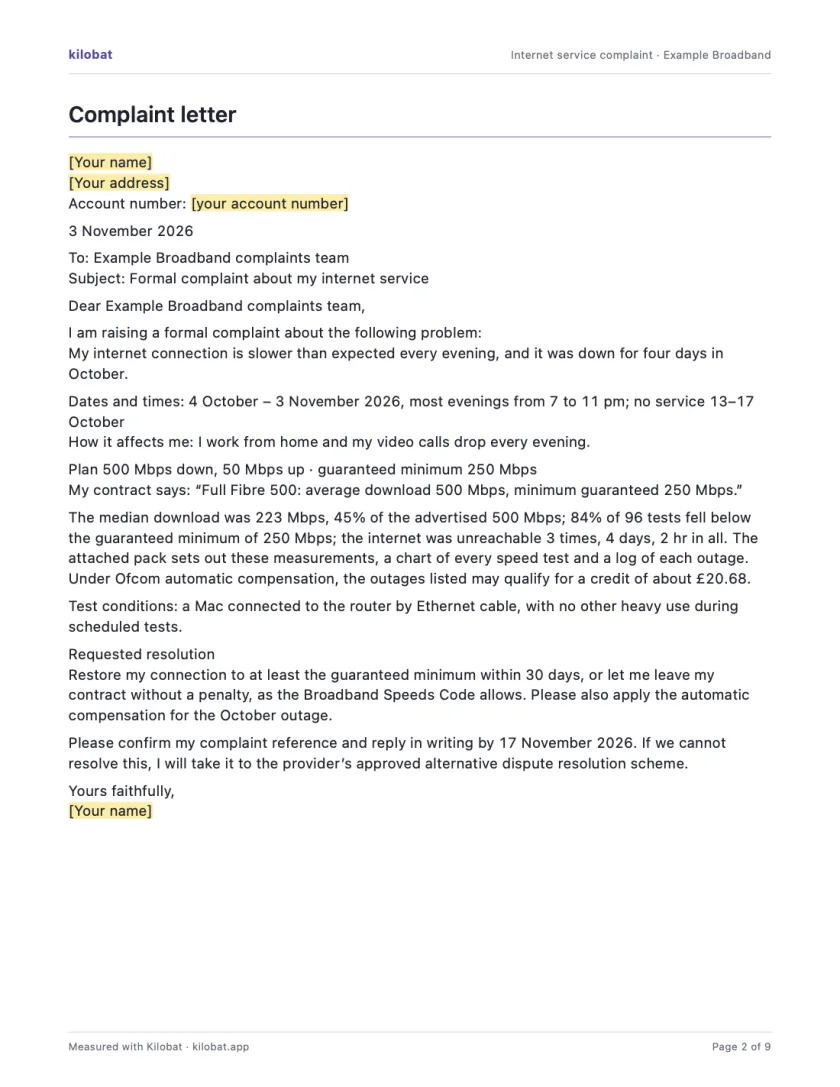
Use the complaint template to state the problem, evidence and requested resolution. Keep the tone factual.
You can collect evidence without Kilobat. If you use a Kilobat report, review it before sharing and add your test conditions.
Still stuck?
You can ask for help at ping@kilobat.app. Send your symptoms and reviewed test results, with or without Kilobat.
Provider pages
Outage tools, equipment checks and how to complain, provider by provider.
The evidence pack
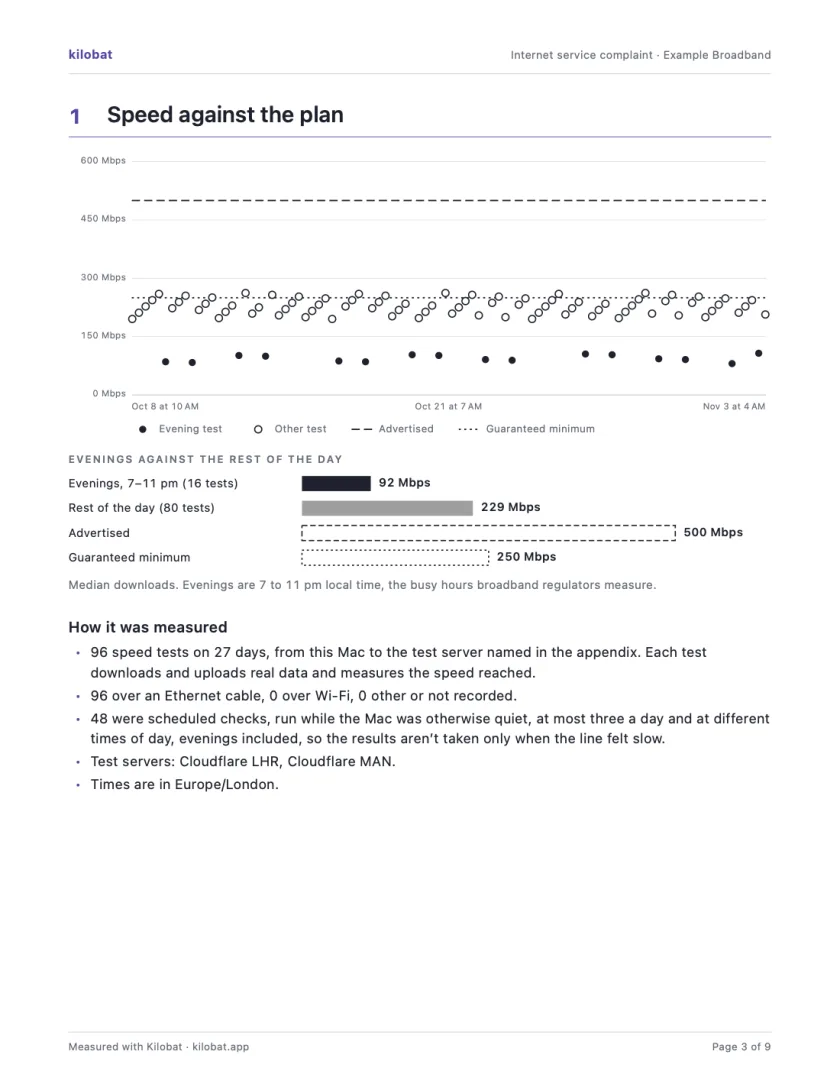
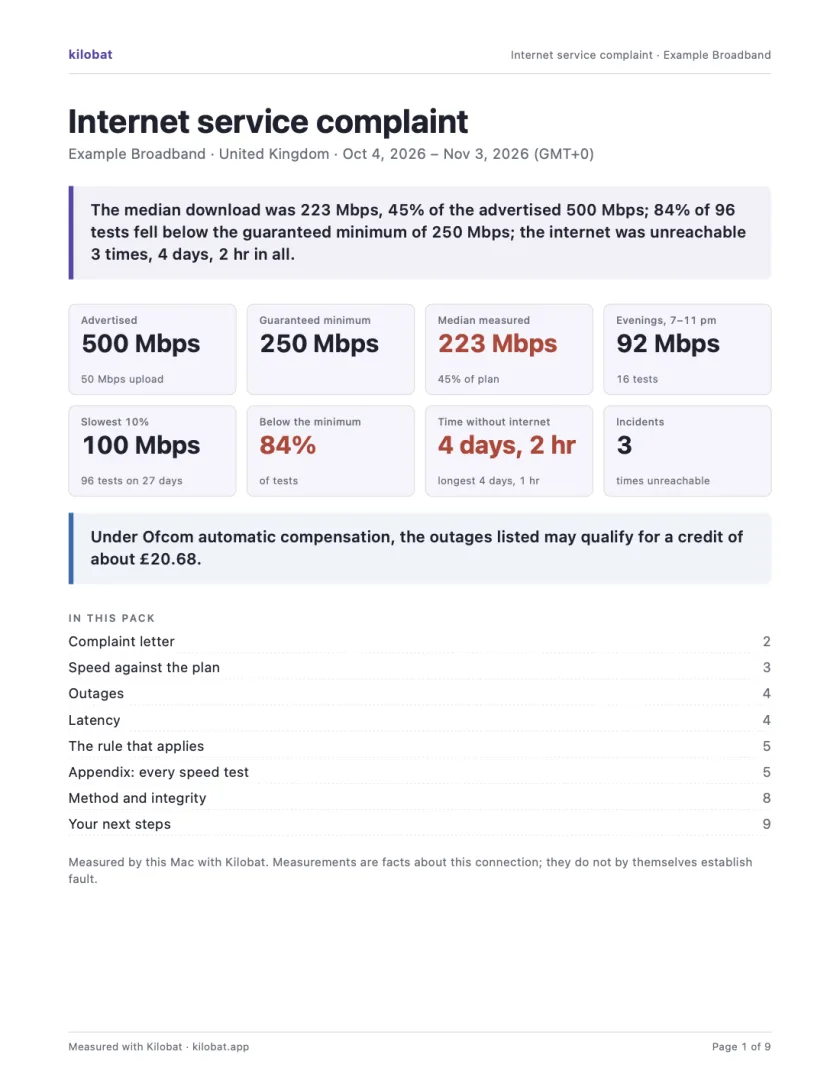
In Kilobat’s Health, click Report… and the Complaint tab takes you through four steps: the problem, your evidence, your request and a review. Then Kilobat Pro builds one PDF: a summary, a letter ready to send, your speed against your plan, every outage and the rule that applies, saved beside the evidence file it came from. The Quick report is free; the Complaint tab, its PDF pack and the outage-credit estimate and claim are part of Kilobat Pro.
Sources
- Nkom: about complaints and Brukerklagenemnda
- Nkom: internet information for consumers
- Brukerklagenemnda: how to complain
- Brukerklagenemnda: questions and answers
- Brukerklagenemnda: bylaws
Checked on 6 November 2026.