Provider box · iliad
iliadbox login, restart, Wi-Fi bands and extenders
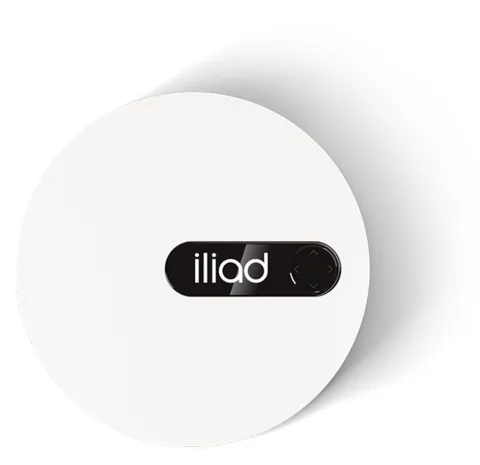
The iliadbox is the round fibre router iliad supplies in Italy, built by its sister company Freebox. iliad steers you to the iliadbox Connect app and the box’s own display; its help pages don’t give a browser address for the control panel.
- Sign in
- The iliadbox Connect app
- App
- iliadbox Connect (iOS and Android)
- Password
- iliad documents no web sign-in password. The Wi-Fi name (
iliadbox-XXXX), the Wi-Fi password and a Wi-Fi QR code are on the box’s display, reached with its navigation buttons. - Models
- iliadbox Wi-Fi 7 (F-GW38D), iliadbox Wi-Fi 6, iliadbox Wi-Fi 5
Sign in to the iliadbox
Install iliadbox Connect from the App Store or Google Play.
Scroll the box’s display to the Wi-Fi QR code and scan it to join your phone to the Wi-Fi.
Open iliadbox Connect and tap Inizia (Start).
Use the bottom menu, for example Rete (Network), to manage the box.
The box also has a Pannello di controllo (Control panel), where iliad’s ONT-mode steps start, but iliad doesn’t publish its address. iliad says the app also works when you are away from home. Change the Wi-Fi password in the app.
Restart it properly
iliad says to restart the box with its power button, or by unplugging it, when it seems not to respond.
Switch the iliadbox off with the ON/OFF button on the back, or unplug the power cable.
Wait about 30 seconds.
Switch it back on and wait until the display shows the time.
If the display stays on STEP instead of the time, iliad asks you to call 177 and say what you have already tried.
With a separate ONT
If a separate fibre terminal (ONT) sits between the wall socket and the iliadbox, restart both in order.
Switch off the iliadbox, then the ONT with its own ON/OFF button.
Wait 30 seconds.
Switch the ONT back on first, then the iliadbox.
Check that the display shows the time.
Schedule a restart
iliad documents no scheduled restart for the iliadbox.
Update the firmware
iliad’s help pages describe no firmware version page or manual update for the iliadbox. The iliad wifi extender updates itself, showing a blue light meanwhile.
See connected devices
Open iliadbox Connect, which iliad says lets you check connected devices.
Tap Rete (Network), then Restrizioni Wi-Fi (Wi-Fi restrictions).
If Abilita le restrizioni Wi-Fi (Enable Wi-Fi restrictions) is green, some devices are blocked.
Turn the switch off to unblock them and tap Valida (Confirm).
UPnP and port forwarding
iliad’s help pages document no UPnP IGD or NAT-PMP setting on the iliadbox, and no port forwarding. To use your own router instead, iliad documents an ONT mode (below).
Use your own router (ONT mode)
Open the iliadbox Pannello di controllo (Control panel).
Click Parametri della iliadbox (iliadbox settings), then Modalità avanzata (Advanced mode).
Click Modalità di rete (Network mode) and choose ONT in the drop-down.
Connect your own router to the iliadbox.
In ONT mode your router handles the connection as if it were the only modem, so its own UPnP, DNS and Wi-Fi settings apply.
Prioritise calls and gaming
iliad documents no QoS or device-priority setting on the iliadbox.
2.4 and 5 GHz, and the channel
By default the iliadbox broadcasts one network for both bands. iliad suggests separate networks when Wi-Fi is slow on every device.
Open iliadbox Connect and tap Rete (Network) in the bottom menu.
Tap Modifica (Edit), then Tipo di configurazione Wi-Fi (Wi-Fi configuration type).
Choose Separato (Separate) to create two networks.
Go back and save the changes.
iliad’s advice after splitting: use 2.4 GHz far from the box and 5 GHz in the same room for speed.
Turn Wi-Fi back on
Press the down arrow on the box’s display until WIFI appears.
If it reads WI-FI: OFF, press the right arrow to switch Wi-Fi on.
Change the channel
iliad documents no manual channel setting for the iliadbox.
Mesh: which node a device uses
The iliad wifi extender (Wi-Fi 7, Multi-AP mesh, AP steering and band steering) repeats the iliadbox network with the same name and password. Up to four can be added to an offer.
Check the Wi-Fi signal with your phone where you plan to put the extender.
Plug the extender into a socket with its own power supply; it sets itself up.
Watch its light; orange means it can’t reach the Wi-Fi, so move it closer.
If it stays orange, iliadbox Connect guides you through the installation.
A blue light means the extender is updating; pink means a fault, so contact iliad. Wiring the extender to a wall Ethernet socket lets it work where the box’s Wi-Fi doesn’t reach. iliad says any other extender creates a separate network with its own name and password.
Guest network
iliad’s help pages document no guest Wi-Fi on the iliadbox.
DNS settings
iliad’s help pages document no DNS setting on the iliadbox. Set DNS on the Mac instead.
Connection status and logs
Look at the display; the time means the box finished starting up and is online.
STEP on the display means the box is stuck in an installation step.
A red light on the front of the Wi-Fi 7 box also means a problem; contact iliad on 177.
If the display stays dark, check the power supply; a USB-C cable must deliver 15 V and at least 36 W.
iliad’s help pages describe no connection log or line statistics for the iliadbox.
Manuals and downloads
- iliad: iliadbox guide and technical features
- iliadbox quick start guide (PDF, Italian)
- iliad: iliad wifi extender
Links go to the maker’s own pages.
Questions
Where is the iliadbox Wi-Fi password?
On the box’s display. Scroll through its screens with the navigation buttons to find the network name, the password and a QR code.
The iliadbox shows STEP instead of the time. What now?
Restart it, and the ONT first if you have one. If STEP stays, iliad asks you to call 177 with what you have tried.
Sources
- iliad: iliadbox, guida e caratteristiche tecniche
- iliad: Risoluzione problemi iliadbox
- iliad: Guida introduttiva iliadbox (PDF)
- iliad: Informazioni su iliad wifi extender
- iliad: Risposte alle domande più frequenti sul mondo fibra
Checked on 1 November 2026.
See what your router can’t tell you
Kilobat is a Mac menu-bar app that watches the network from your side: which app is using it, whether the Wi-Fi, the router or the provider is slow, and why a call froze.
brew install seifip/kilobat/kilobat