Router · EFM Networks
ipTIME router login, restart, firmware and Easy Mesh
ipTIME is EFM Networks’ range of home routers, a leading brand in Korea. You manage it in a browser through 관리도구 (Admin tools) at 192.168.0.1, or with the ipTIME ID app.
- Sign in
192.168.0.1- App
- ipTIME ID (iOS and Android), for firmware 16.00.0 and later
- Password
- You set the admin login in the 설치도우미 (setup wizard), on a PC or phone. A reset router’s Wi-Fi is open until you set a password.
- Models
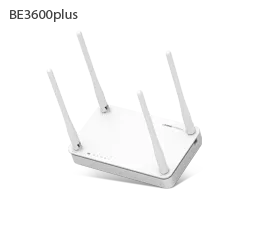
- BE3600plus, BE7200M, AX3000plus, AX3000M, AX5400BCM-6E
Sign in to the ipTIME
Factory default. ipTIME’s help says a new or reset router signs in with admin as both login name and password. Change both straight away.
Connect your Mac to the ipTIME by Ethernet or Wi-Fi, not to the modem.
Type
http://192.168.0.1in the address bar, not a search box.Enter 로그인 이름 (Login name), 암호 (Password) and the 보안문자 (Captcha), then click 로그인.
Click 관리도구 (Admin tools).
To change the login, use 시스템 관리 › 관리자 설정 (System management › Admin settings) and 새 계정 적용 (Apply new account).
If you changed the address, the ipTIME 검색기 (ipTIME finder) utility finds the router. A forgotten password can’t be recovered: hold RST about 10 seconds, until the CPU light blinks fast. That erases every setting. 시스템 관리 › 기타 설정 › 언어 설정 switches the interface to English.
Restart it properly
Unplug the router’s power adapter.
Wait a moment, then plug it back in.
Wait until the CPU light blinks about once a second, meaning it has started.
ipTIME’s help shows no restart button in 관리도구. The RST button is a factory reset, not a restart.
Schedule a restart
Sign in and open 관리도구 › 시스템 관리 › 기타 설정 (Other settings).
Expand 공유기 자동 재시작 (Automatic router restart) and turn it on.
Choose the days and time, then click 적용 (Apply).
It follows the router’s clock, so check 현재 시스템 시간 (Current system time). 특수 기능 › 시스템 스케줄러 (System scheduler) can also restart monthly or once.
Update the firmware
Sign in and open 관리도구 › 펌웨어 업그레이드 (Firmware upgrade), which shows the current version.
Choose 자동 업그레이드 (Automatic upgrade) and click 자동 업그레이드 실행 (Run).
Leave the power on until the router restarts.
Check it reads 최신 펌웨어 ○○를 사용하고 있습니다. (You are using the latest firmware).
To update from a file, download it for your exact model and use 수동 업그레이드 (Manual upgrade) on the same page. Upgrade over Ethernet if you can. If the CPU light then stays on or off, the 펌웨어 복구 도우미 (recovery tool) restores it; Wi-Fi 7 BE models have dual firmware instead.
See connected devices
Sign in and open 관리도구 › 네트워크 관리 › 내부 네트워크 설정 (Internal network settings).
사용중인 장치 정보 (Devices in use) lists each device’s IP and MAC address.
With Easy Mesh on, open Easy Mesh 관리툴 › 스테이션 리스트 (Easy Mesh manager › Station list).
In the ipTIME ID app, 스테이션 (Stations) adds signal strength and speed.
To fix a device’s address, add it under 네트워크 관리 › DHCP 서버 설정 › 등록된 주소 관리 (DHCP server › Registered addresses).
UPnP and port forwarding
ipTIME says its routers have UPnP built in, so devices such as its IP cameras can open their own port forwards.
ipTIME’s help for current firmware doesn’t say where to switch UPnP off, or whether it shares traffic counters. It documents no NAT-PMP.
Any app on your network can open ports through UPnP without asking, malware included. ipTIME says to delete port forwards, VPN servers or DNS settings you didn’t create, then change the admin password.
Open a port by hand
Sign in and open 관리도구 › NAT/라우터 관리 › 포트포워드 설정 (Port forward settings).
Click the add (+) icon.
Enter a rule name, external port, the device’s internal IP and internal port, then add it.
Prioritise calls and gaming
Sign in and open 관리도구 › 트래픽 관리 › QoS 설정 (Traffic management › QoS settings).
Set QoS 동작 설정 (QoS operation) to 실행 (On) and enter your plan’s speeds.
Turn on 스마트 QoS (Smart QoS) to share bandwidth evenly, then click 적용.
Or click the add (+) icon to cap or guarantee one IP address’s speed.
On some models QoS switches to software NAT, which can lower top speeds.
2.4 and 5 GHz, and the channel
Without Easy Mesh, each band has its own name and password in WiFi 기본 설정 (Basic Wi-Fi settings). Easy Mesh merges them under one name.
To split 2.4 GHz off Easy Mesh, open Easy Mesh 기본 설정 (Easy Mesh basic settings) on the main router.
Set 2.4G 개별 설정 (Separate 2.4G settings) to 사용함 (Use).
Enter a different 2.4G 네트워크 이름 (2.4G network name), WPA2PSK + AES and a password.
Click 적용 (Apply).
Change the channel
Sign in and click WiFi 기본 설정.
Click the magnifier next to the channel to find the best one.
Pick that channel, or another, and click 적용.
Repeat for each band further down.
DFS channels on 5 GHz check for radar first, so they take 60 seconds to start.
Mesh: which node a device uses
Update every ipTIME router you’ll use to the latest firmware.
On the main router, open Easy Mesh 기본 설정 (Easy Mesh basic settings).
Enter a network name, 인증방법 (Authentication) and password, then click 적용. Controller mode turns on.
Connect the new router’s LAN port to the main router, or place it nearby and power it on.
In Easy Mesh 관리툴 (Easy Mesh manager), click the new router, then 추가 (Add).
Only Full Mesh models can be the controller; ipTIME’s model list shows each one’s role. A wired agent turns wireless 5–10 minutes after you unplug it.
Guest network
Sign in and open WiFi 기본 설정 (Basic Wi-Fi settings).
At the bottom, click 무선 네트워크 추가 (Add wireless network).
Choose the band, a name, WPA2PSK-AES and a password of eight or more characters.
Set 통신 정책 (Traffic policy) to 인터넷 통신만 허용 (Internet only) and click 추가.
Internet only keeps guests away from your devices. With Easy Mesh on, use its 2.4G 게스트 네트워크 (2.4G guest network) instead.
DNS settings
Sign in and open 관리도구 › 기본 메뉴 › 인터넷 설정 정보 (Basic menu › Internet settings).
Enter the DNS servers by hand; ipTIME’s example is
8.8.8.8and8.8.4.4.Click 적용 (Apply).
ipTIME’s current help doesn’t name the switch; on very old firmware it was 수동으로 공유기의 DNS 서버 설정 (Set DNS manually). A DNS server you didn’t set can mean tampering.
Connection status and logs
Sign in. 시스템 요약 정보 (System summary) shows the external IP and internal network.
Open 기본 메뉴 › 인터넷 설정 정보 and check 연결 상태 (Connection status).
It should read 인터넷에 정상적으로 연결됨 (Connected normally).
If it stays at 인터넷에 연결 시도 중 (Trying to connect), restart the modem.
ipTIME’s help doesn’t say where the system log is. Its 보안검사기 (security checker) utility reviews the log for you.
Manuals and downloads
- ipTIME 사용설명서 (manuals, per model)
- ipTIME 자주묻는 질문 (FAQ)
- ipTIME 다운로드 (firmware and utilities)
- Firmware downloads
Links go to the maker’s own pages.
Questions
What is the default ipTIME password?
A new or reset router uses admin as login name and password until the setup wizard sets yours. A changed password can only be cleared by a factory reset.
Why can’t I open 192.168.0.1?
Connect to the ipTIME itself, not the modem. If a provider box upstream also uses 192.168.0.x, ipTIME suggests moving the ipTIME to an address like 192.168.10.1.
Sources
- ipTIME FAQ: Can’t open the admin page (192.168.0.1)
- ipTIME FAQ: Forgotten admin password
- ipTIME FAQ: Factory reset
- ipTIME FAQ: Automatic restart
- ipTIME FAQ: Firmware upgrade (automatic)
- ipTIME FAQ: Manual firmware upgrade
- ipTIME FAQ: Failed or stuck firmware upgrade
- ipTIME FAQ: Fixed IP addresses (DHCP reservation)
- ipTIME FAQ: Easy Mesh manager
- ipTIME FAQ: ipTIME ID app
- ipTIME FAQ: Port forwarding
- ipTIME FAQ: IP camera port forwarding and UPnP
- ipTIME FAQ: QoS
- ipTIME FAQ: Wi-Fi name, password and channel
- ipTIME FAQ: IoT devices and a separate 2.4 GHz network
- ipTIME FAQ: Adding Easy Mesh to your router
- ipTIME FAQ: Easy Mesh models and roles
- ipTIME FAQ: Guest network
- ipTIME FAQ: Remote support ID (manual DNS)
- ipTIME FAQ: Manual DNS servers (old interface)
- ipTIME FAQ: Manual internet connection
- ipTIME FAQ: Security checklist
- ipTIME FAQ: Slow or dropping Wi-Fi
- ipTIME FAQ: Admin page language
- ipTIME BE3600M 사용설명서 (manual)
Checked on 1 November 2026.
See what your router can’t tell you
Kilobat is a Mac menu-bar app that watches the network from your side: which app is using it, whether the Wi-Fi, the router or the provider is slow, and why a call froze.
brew install seifip/kilobat/kilobat