Provider box · Jio
JioFiber and JioAirFiber router: Wi-Fi, devices, guests and diagnostics, a practical guide
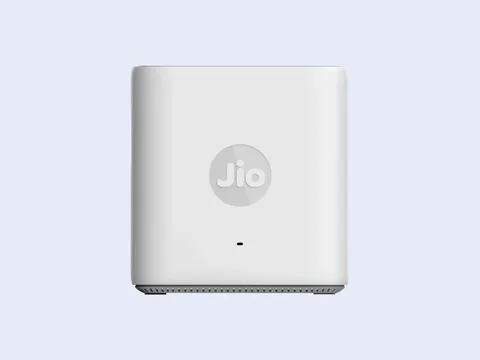
Jio supplies a Home Gateway with JioFiber and an outdoor unit plus an indoor Wi-Fi router with JioAirFiber. Jio documents managing them in apps: MyJio for JioFiber and JioHome for JioAirFiber.
- Sign in
- The MyJio app (JioFiber) or the JioHome app (JioAirFiber)
- App
- MyJio and JioHome (iOS and Android)
- Password
- MyJio signs in with your JioFiber number; JioHome with your registered mobile number and a one-time password (OTP). Jio’s help pages don’t publish a browser address or an admin password for the router.
- Models
- Jio Home Gateway (JioFiber), JioAirFiber Wi-Fi router (indoor unit), JioAirFiber outdoor unit
Sign in to the JioFiber and JioAirFiber router
For JioFiber, open MyJio and log in with your JioFiber number.
Select Fiber Account, then tap My Device in the footer.
Wait a few seconds while your router details load.
For JioAirFiber, open JioHome and log in with your registered mobile number and OTP.
Tap Network at the bottom to reach the router settings.
In MyJio you can also reach the router from the side menu: Settings › Device Settings › My Device. If you’re already logged in, the Manage Device section opens it directly.
Restart it properly
Jio recommends restarting the router once a month, but its help pages don’t say how. Run Diagnostics in MyJio suggests a restart when it finds a problem.
Schedule a restart
Jio’s help pages describe no scheduled restart.
Update the firmware
Jio’s help pages document no firmware check or update for the Home Gateway or the JioAirFiber router.
See connected devices
When a new device joins the Home Gateway, Jio sends an SMS to your registered mobile number.
In MyJio, tap Home, then My Device in the footer.
Scroll down to Wi-Fi Settings.
Tap Connected Devices to see phones, laptops, TVs and set-top boxes on the Wi-Fi.
If blocking doesn’t work, Jio suggests restarting the router. Jio also advises turning WPS off under My Device in MyJio if you don’t use it, since anyone who can reach the router’s WPS button can join.
Block a device on JioFiber
In Connected Devices, tap the three dots beside the device.
Tap Block Device, then Block.
To unblock, open Blocked Devices, tap the lock icon and tap Unblock Device.
See and block devices on JioAirFiber
In JioHome, tap Network, then Devices.
Tap All and select the device.
Switch on Block Internet; switch it off again to unblock.
UPnP and port forwarding
Jio’s help pages don’t document UPnP, port forwarding or NAT-PMP on the Home Gateway or the JioAirFiber router.
Prioritise calls and gaming
Jio’s help pages document no QoS or device priority setting. Jio notes that speed is shared across every connected device.
2.4 and 5 GHz, and the channel
Jio advises using 5 GHz near the router for speed and 2.4 GHz further away for range, with different Wi-Fi names on each band.
In MyJio, select Fiber Account and tap My Device.
Scroll down to Wi-Fi Settings.
Tap the Wi-Fi name (SSID) you want to change.
Tap the pencil next to Edit Password, enter the new password and tap Save.
Changing a Wi-Fi name or password disconnects every device on it. Reconnect each one with the new details.
On JioAirFiber
In JioHome, tap Network, then WiFi Settings.
Under Home WiFi, open Edit WiFi Name & Change Password.
Enter the new name or password and tap Save.
Hide a Wi-Fi name
In MyJio, open Settings › Device Settings › My Device › Wi-Fi Settings.
Choose the Wi-Fi name and turn off visibility with the toggle.
Devices already connected stay connected. Hiding a Wi-Fi name isn’t available on JioAirFiber yet.
Change the channel
Jio’s help pages give no steps for choosing a Wi-Fi channel.
Mesh: which node a device uses
Jio says the Home Gateway covers about 1,000 sq ft of open space on one floor. For more, it offers JioExtender units, which join the network through the JioHome app.
In JioHome, press the + button on the landing page.
Select WiFi Extender.
Follow the on-screen steps to link the JioExtender to your network.
Guest network
A Guest Password is a second password for the same Wi-Fi network that expires at a time you set. Jio supports it on JioAirFiber only.
Log in to JioHome with your registered mobile number.
Tap Network, then Guest.
Set the Guest Password and its expiry time.
Guests join your main network, not a separate one, until the password expires. You can change the Guest Password at any time.
On JioFiber
Jio’s help pages describe no guest network or guest password for the JioFiber Home Gateway.
DNS settings
Jio’s help pages give no way to change the DNS servers on the Home Gateway or the JioAirFiber router. Set DNS on the Mac instead.
Connection status and logs
Run Diagnostics checks the connection, the router, Wi-Fi strength and connected Jio devices, then suggests fixes.
Open MyJio and select Home (or Fiber) from the top menu.
Tap JioCare on the bottom bar, then Run Diagnostics.
Select the service to check and tap Run Diagnostics.
If it finds a problem, tap Fix now, or raise a service request.
Run Diagnostics also lets you reschedule an engineer visit and track the engineer.
Test the speed reaching the router
Open JioHome and tap Network, then Wi-Fi Speed.
Select Router and tap Test Speed.
To test your phone’s Wi-Fi instead, select Mobile Phone while on your Jio Wi-Fi.
Manuals and downloads
Links go to the maker’s own pages.
Questions
Can I open the JioFiber router in a browser?
Jio’s help pages don’t document a browser address or admin password for the Home Gateway or the JioAirFiber router. Every setting they describe is in MyJio or JioHome.
Why can’t I hide my Wi-Fi name or use a Guest Password?
The features differ by service. Hiding a Wi-Fi name is available on JioFiber only, in MyJio. The Guest Password is available on JioAirFiber only, in JioHome.
How do I connect a smart TV by cable?
Plug an Ethernet cable into a LAN port on the Home Gateway and into the TV’s LAN port. Jio recommends a cable over Wi-Fi for stable 4K streaming.
Sources
- Jio FAQ: How can I change my JioFiber Router (Wi-Fi/SSID) password?
- Jio FAQ: How can I hide my JioFiber Router Wi-Fi ID (SSID)?
- Jio FAQ: How can I check the number of devices connected to my Jio Home Gateway?
- Jio FAQ: How can I block or unblock devices connected to my JioFiber Wi-Fi Router?
- Jio: Important tips to keep your JioHome connection secure
- Jio: Restart your router periodically
- Jio: Choose the right Wi-Fi frequency (2.4GHz/5GHz)
- Jio JioHome FAQ: What is a Guest Password?
- Jio JioHome FAQ: What is a JioExtender?
- Jio JioHome FAQ: How do I perform a speed test?
- Jio FAQ: How can I check if there is any problem with my JioFiber broadband internet?
- Jio FAQ: How can I fix my JioAirFiber service using Run Diagnostics?
- Jio FAQ: What is the Wi-Fi coverage provided by the Jio Home Gateway?
- Jio FAQ: How can I connect my Smart TV to the Jio Home Gateway?
- Jio: JioAirFiber
Checked on 1 November 2026.
See what your router can’t tell you
Kilobat is a Mac menu-bar app that watches the network from your side: which app is using it, whether the Wi-Fi, the router or the provider is slow, and why a call froze.
brew install seifip/kilobat/kilobat